Uploading Mods to the Cloud Cooker
The Cloud Cooker is an interface on the Alderon Games website where you upload your mod files in order to build your mod and distribute it to players.
With the Alderon Games Cloud Cooker, you can simply upload your mod to our servers in order to use our machines to build the mod for every platform Path of Titans supports. This is required because mods must be built in each corresponding operating system in order to be usable by that device. For instance, for mods to be usable on MacOS, it must be built on a Mac Machine within that operating system. This can be a limiting factor if you don't own a Mac computer. By uploading mods to our Cloud Cooker, we can automatically build mods on all these devices without you needing to purchase extra PCs and equipment to package your mod. This allows for significantly greater modding community cohesion and, overall, will help foster a more connected community.
Uploading to the Cloud Cooker
WARNING
Before you begin, it is highly recommended that you test build your mod in the Dev Kit.
Make sure you have 7-Zip installed. Download and install 7-Zip. https://www.7-zip.org/
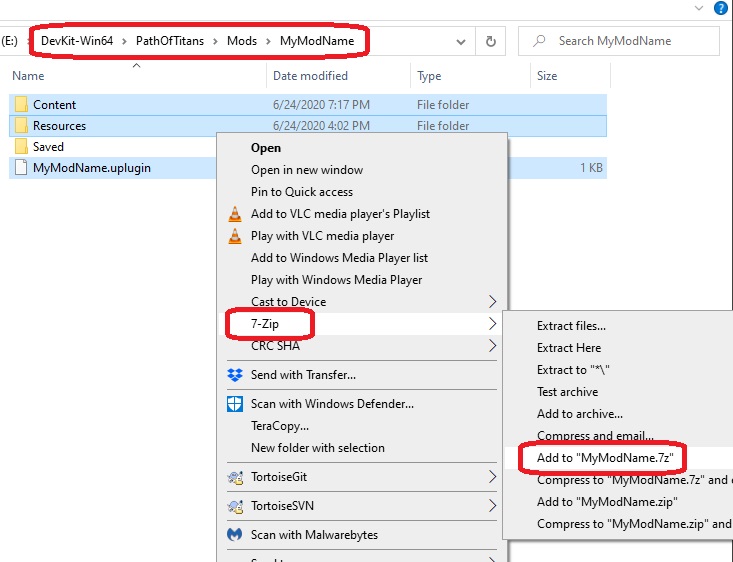
- In Windows Explorer, hold CTRL and select the
Contentfolder,Resourcesfolder, and.upluginfile. - Right click these files and select
7Zip > Add to “MyModName.7z”whereMyModNameis the name of your mod. Do NOT include any other assets in this 7Zip archive. It must be a .7z archive, and cannot be a .zip or .rar archive.
- Upload your Mod.7z file to your file hosting site of choice. We suggest Dropbox. https://www.dropbox.com/ Copy the download link to your clipboard.
WARNING
You need to make sure the Dropbox link has dl=1 at the end. Example: https://www.dropbox.com/s/abcDEFgeHijKLEadwf18fh91f392?dl=1
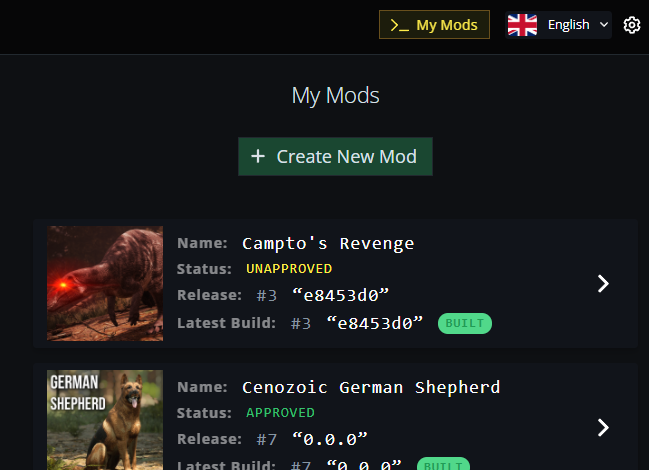
- Once your file has been uploaded, visit https://alderongames.com and click the "My Mods" button on the top right of the page. Make sure you are logged into your account.

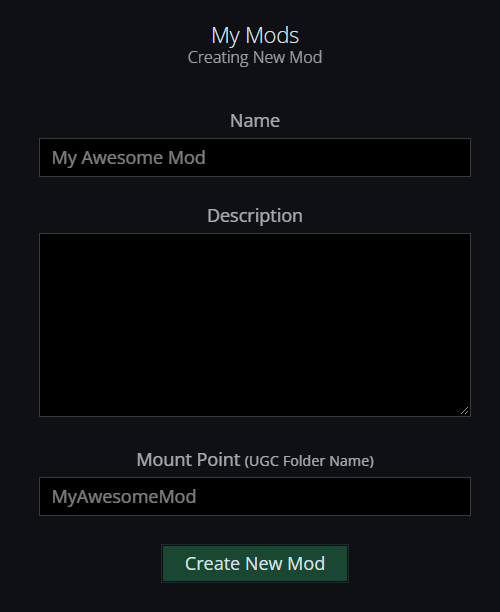
- On the page, click "+ Create New Mod" and fill in the following information:
Name: The name of your mod. Can include spaces. This is the name players will see publicly.Description: A short description of your mod. Players will see this publicly.Mount Name: This MUST BE THE SAME as your Uplugin name (camel case, no spaces, no underscores, see the "Creating and Setting Up Your First Mod" page for more information about this.)
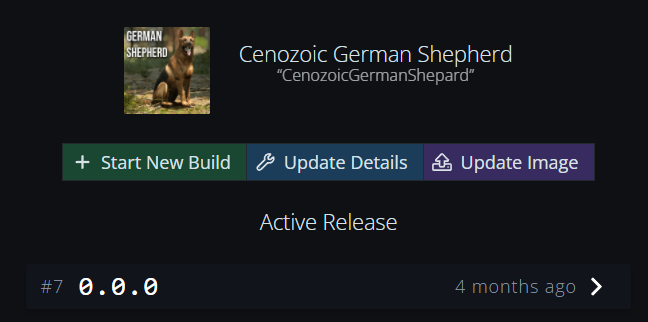
- Once the mod is created, click on it and click "+ Start New Build". Paste in your download link to your mod files and click "Start New Build". From here, you can monitor the progress of your mod building. If you run into any problems, please drop a message in the Modding Discord.
- You can also upload a preview image of your mod while it's building. Once uploaded, please message Jiggy on Discord for her to approve your image manually.
Preview Image: must be a 512x512 JPG file.- Must not contain any inappropriate imagery.