Adding Waystones
Waystones are essentially teleport stones that players can use to bring each other together. While they aren't essential on your map, and your map will technically function fine without them, we highly suggest adding them to your map so players can more easily meet up and play together if they want to.
TIP
Remmeber, server hosts can disable Waystones via a server configuration option, so if they don't like them they have the power to remove them. However, server owners cannot ADD Waystones to your map. For this reason even if you don't want to use Waystones, we suggest adding Waystones anyways, to give players more flexibility.
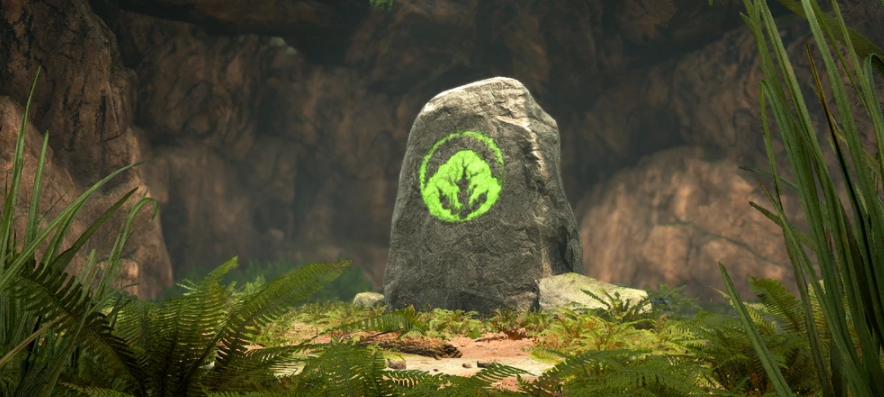
Step 1: Place Waystones
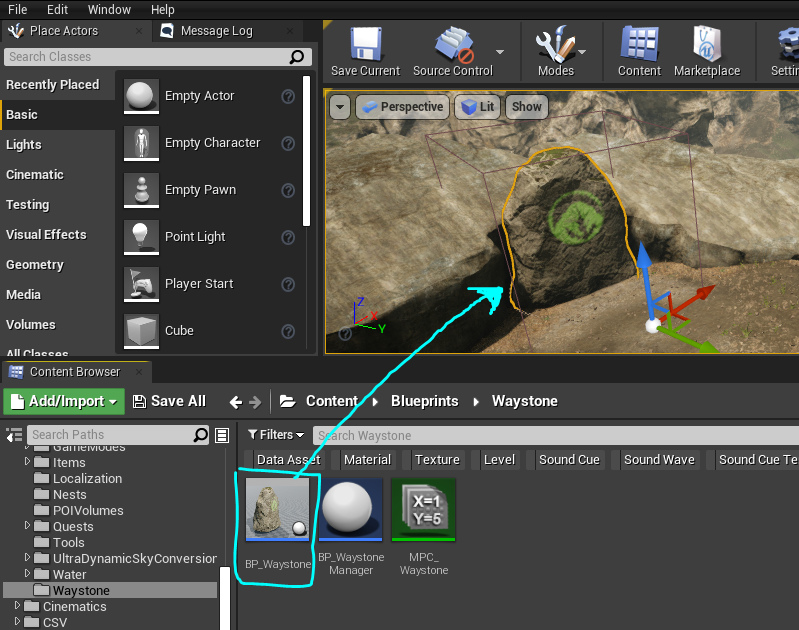
- Open the sublevel you want to put your Waystone onto. DO NOT PLACE WAYSTONES ON PERSISTENT LEVELS unless you do not have sublevels/tiled map.
- Go to
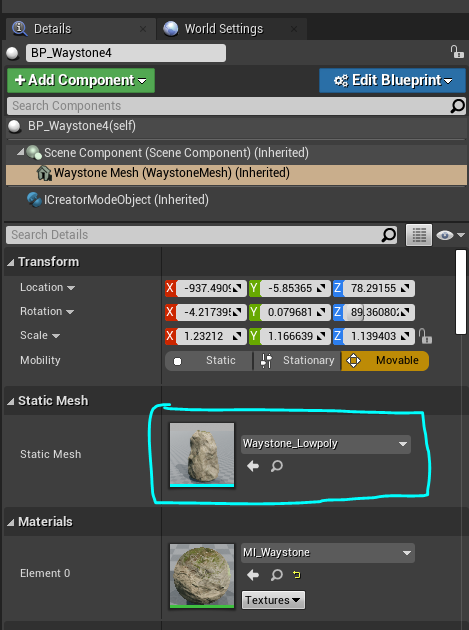
Content\Blueprints\Waystoneand dragBP_Waystoneonto your map. - You can customize the way your Waystone looks by swapping out the mesh in the blueprint you just placed down.
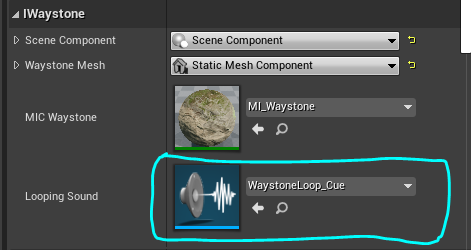
- You can also change the Sound effect your Waystone plays by editing it in the blueprint you just placed down.
- We suggest placing a Waystone at each area of your map where you think people will want to meet up, such as questing hotspots or at every corner of your map.
Step 2: Assign Waystone Tags
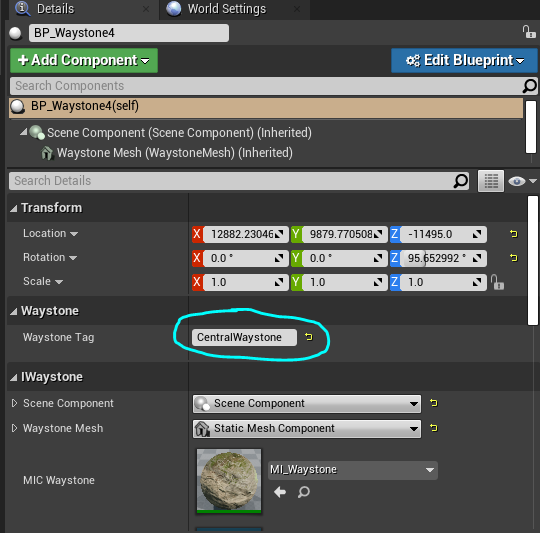
- Select your Waystone and type in a unique Tag in the details panel.
- This tag must not be shared across Waystones, as the tag is used to manage cooldowns and Waystone quests.
- Assign a unique tag to every Waystone you place.
Step 3: Place Waystone Manager
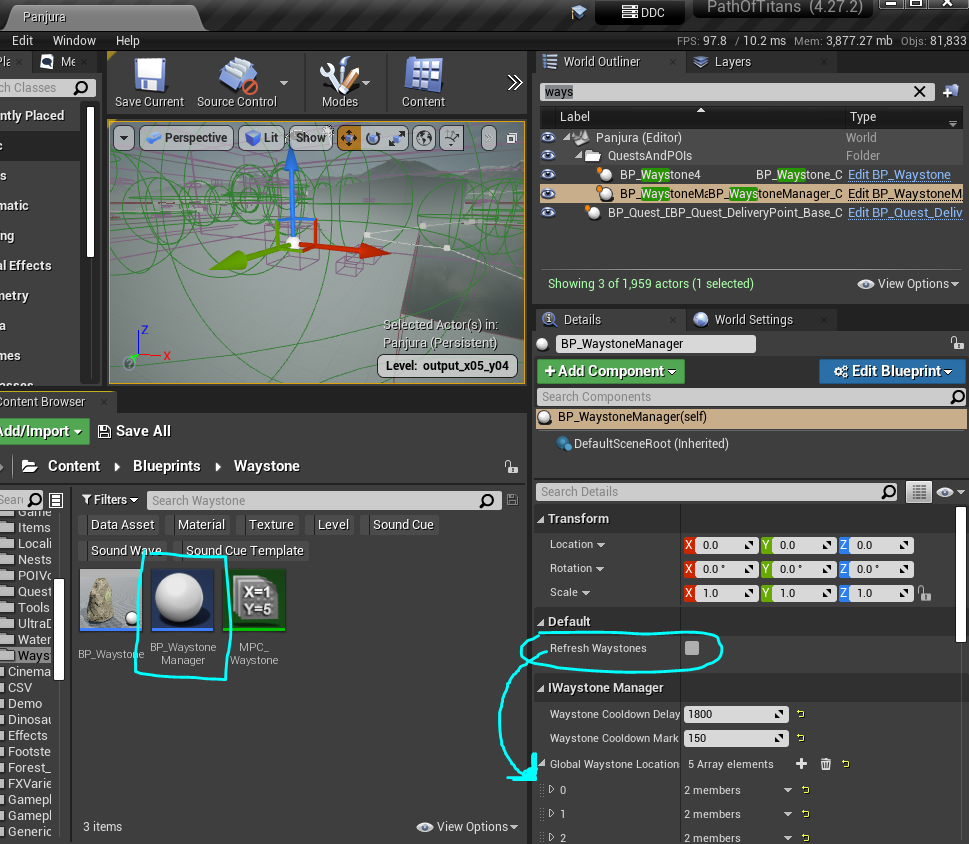
Once you have placed down all your Waystones on your map and assigned Tags, you must place down a Waystone Manager. This will manage cooldown timers and Waystone quests on your map and is essential to making Waystones functional.
- With all your Waystones placed down AND all your sublevels loaded, select your persistent level, and go to
Content\Blueprints\Waystoneand dragBP_WaystoneManageronto your persistent level. - Select your Waystone Manager and click the "Refresh Waystones" button. This will grab all the locations of your currently loaded Waystones and populate your Waystone Manager with them. If your Waystone is not loaded, it will not be grabbed, so you MUST have all tiles loaded.
- You can optionally change the Waystone
Cooldown DelayandMark Costin the Waystone Manager, however remember that server owners can change/override these values if they want.
Summary
In this tutorial you completed the following:
- Placed down Waystones on your map.
- Placed down a Waystone Manager and populated it with all your Waystone locations.