Creator Mode Editable Properties
Creator mode objects can expose variables to the creator mode property editor. Supported types are float, int and bool.
Adding a New Creator Mode Property
Make sure you have created a Creator Mode Object and have tested it works. To do that, follow this example.
Create a variable that you would like to expose. In this example, we are adding an integer "Rocks".
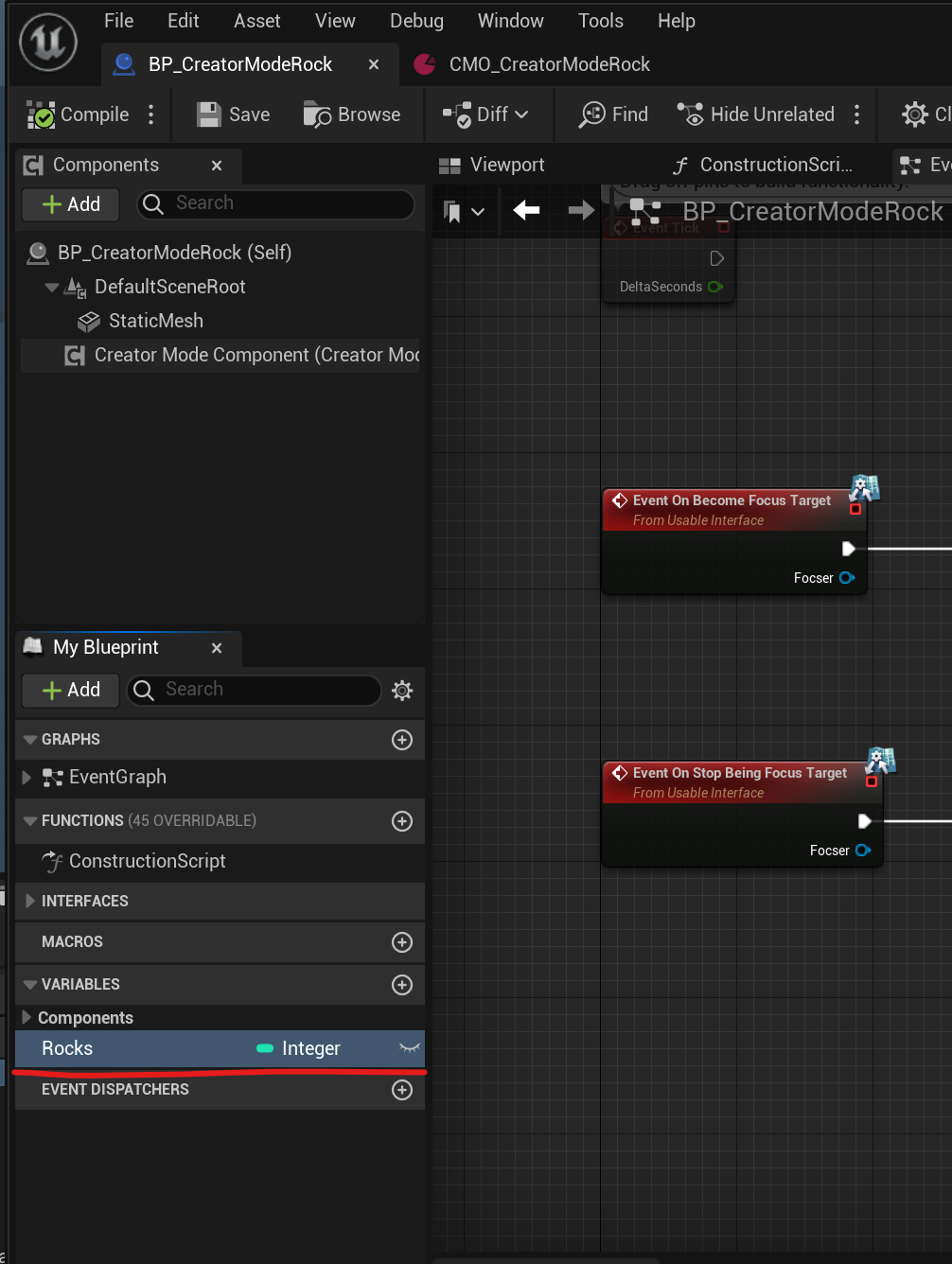
Make sure the variable is
Replicated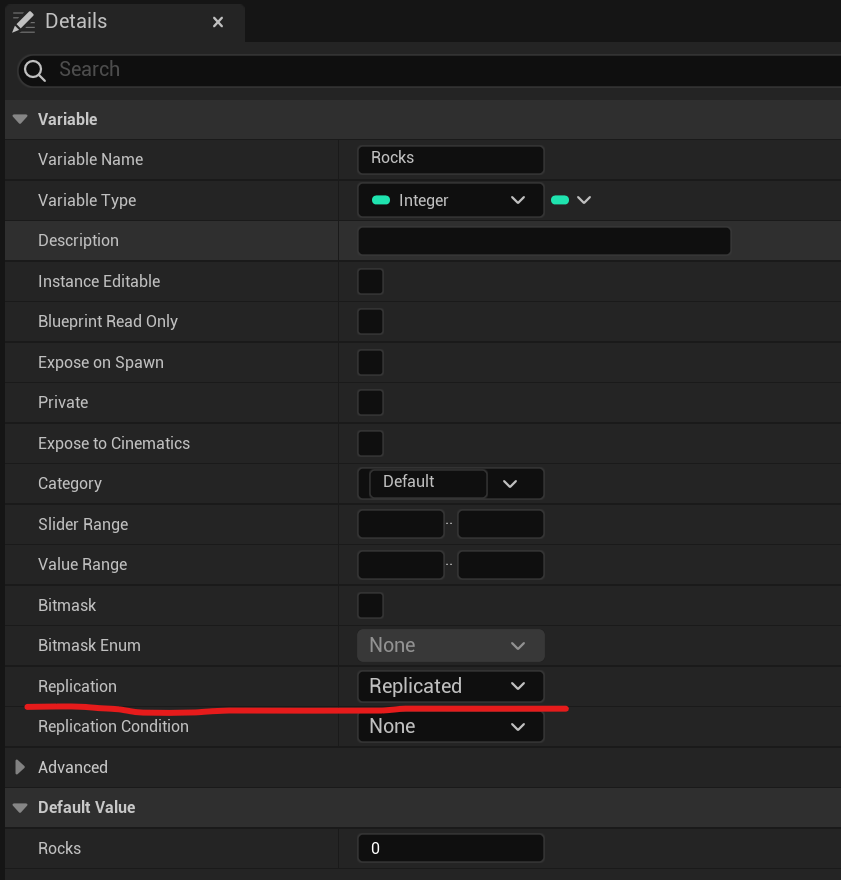
Add a
BeginPlaynode to the event graph (if it does not already exist).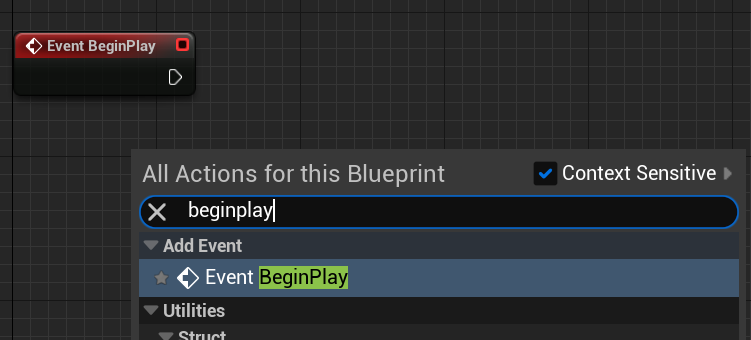
Drag the
ICreatorModeObjectcomponent into the event graph, and from it, add theAdd Propertynode.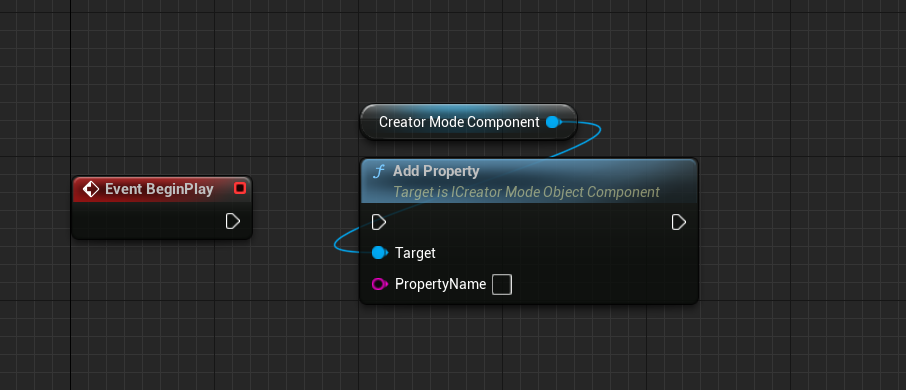
Attach the
BeginPlaynode to theAdd Propertynode, and set thePropertyNamevariable to the name of the variable you wish to expose.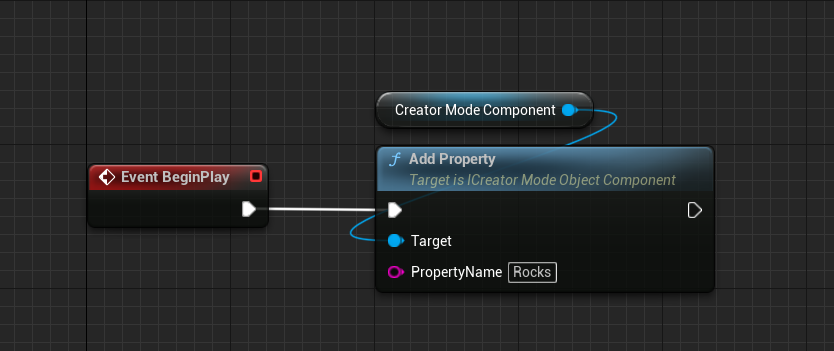
Test it!
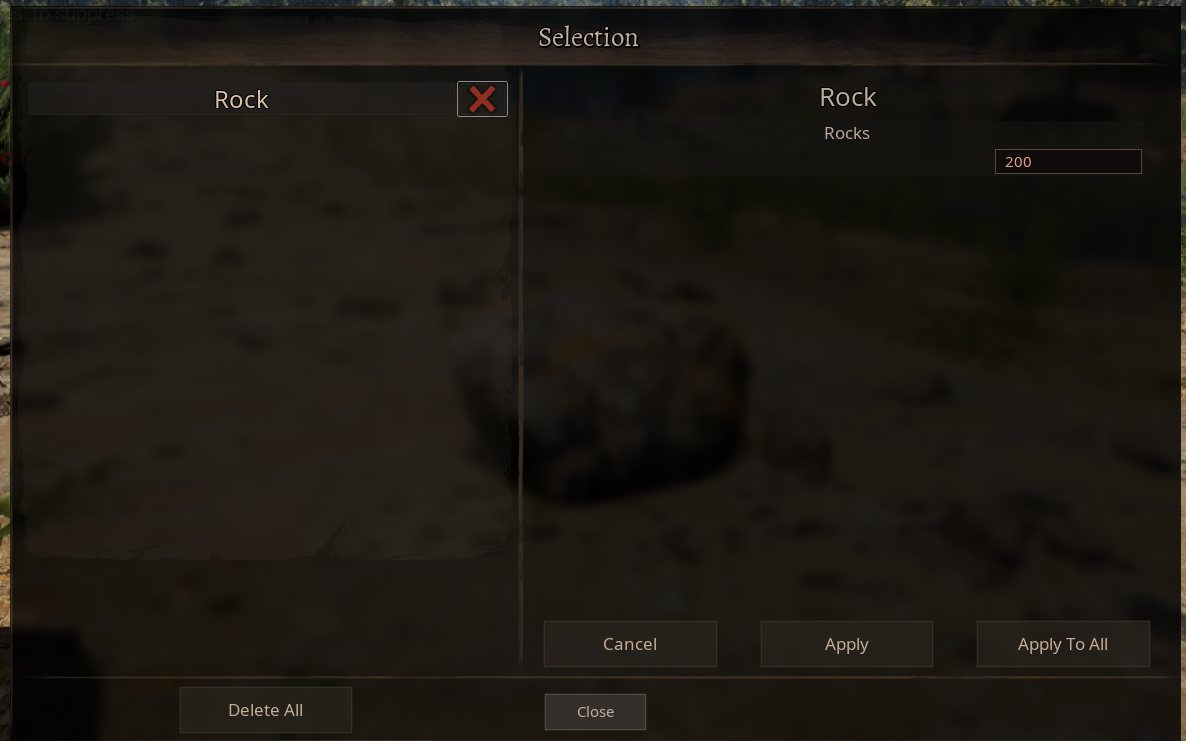
You can set the variable to
RepNotifyinstead ofReplicatedto trigger some sort of event when the value is changed. There are also other functions to use, such asAdd Property Min Max, which lets you specify a min/max value.