Creature Mod Test Checklist
Before your creature mod is submitted for public release, please ensure you perform the following tests. If you run into issues, fix them as best you can as described in each step.
Ensure your mod abides to our Modding Agreement.
Modding agreement found here: Alderon Games Modding Agreement.
This includes:
- Ensure you have the rights to upload the mod, such as owning the copyright or having copyright permissions. The easiest way to ensure this is to create your own content, purchase the content legally from a marketplace, or have express permission from the original content creator to use their work.
- Ensure your mod does not contain inappropriate content.
Test Cases: Character Customization
Missing Skin Colors
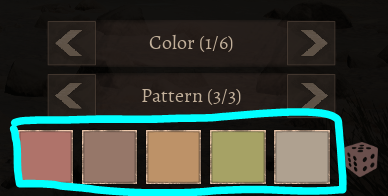
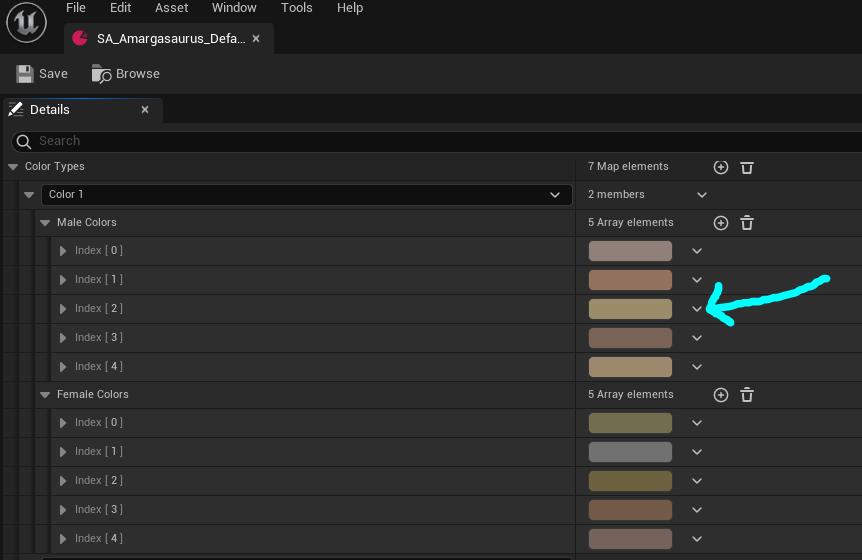
Every skin your creature uses should have 5 available colors for each color option.
How to Test: Edit a character and look through each color selection and ensure there is a color slotted in.
How to Fix: Open your Skin DataAsset and assign 5 colors for each option.
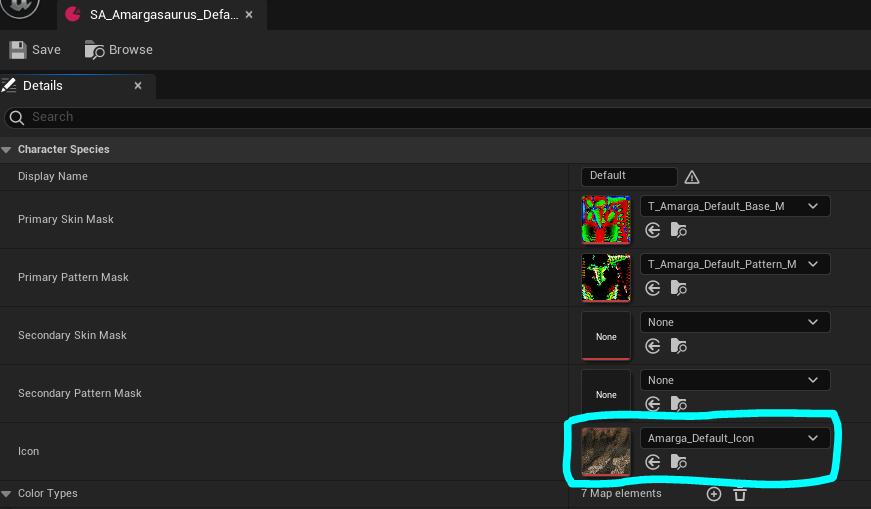
Missing Skin Icon
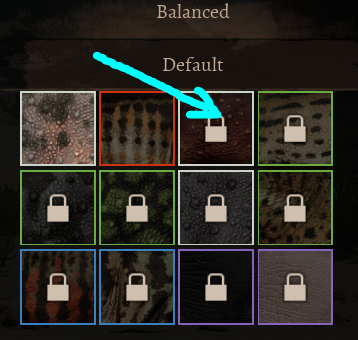
Skins should display an icon for each one. If you skin displays a white box, or the icon is missing, this will need to be fixed.
How to Test: Edit your character and view all skins have a valid preview image. Ideally this should be a 128x128 screenshot of the skin patterns as seen on your creature.
How to Fix: Open your Skin DataAsset and ensure the Icon has an image slotted in. Be sure to fix up redirectors or press the magnifying glass icon to ensure it's referencing an image found in your mod folder correctly.
Missing Skin Pattern/Base Mask
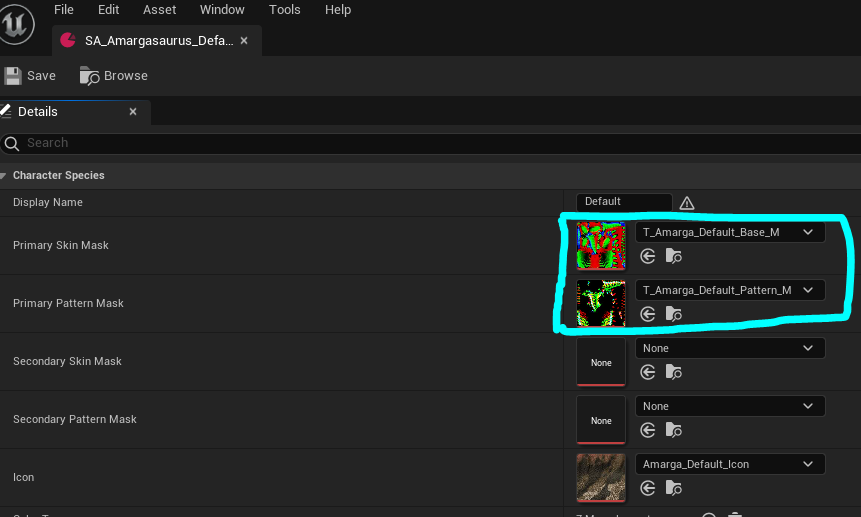
Your skin should have a unique base mask and pattern mask that it uses. If it does not have one, it will become buggy and use the last loaded mask on your character and behave strangely.
How to Test: Ideally you should doublecheck the skin DataAsset, however in-game you can test by clicking through every skin and observe if the patterns and base colors are consistent every time you select the skin.
How to Fix: Open every Skin DataAsset and confirm the Primary Skin Mask and Primary Pattern Mask are slotted in correctly (and optionally the secondary masks if your creature uses those). Be sure to fix up redirectors or press the magnifying glass icon to ensure it's referencing an image found in your mod folder correctly.
Missing Physics Asset
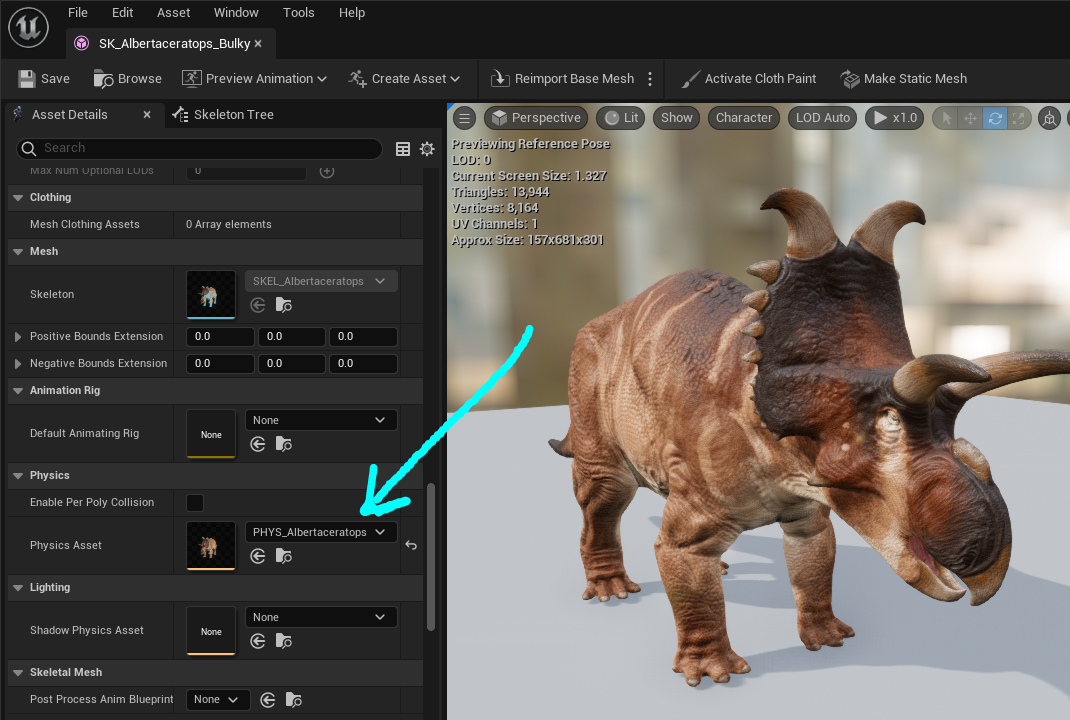
Each subspecies needs a physics asset assigned, otherwise your character will not ragdoll, and will not be able to deal damage or take damage.
How to Test: Create a character with a subspecies selected, and then use the /setattr health 0 command to respawn. Observe your character's body. If it ragdolls and falls over, you have correctly assigned the physics asset. If it disappears completely, there is no physics asset assigned.
How to Fix: Open your skeletal mesh and ensure your Physics Asset is assigned for every single subspecies mesh you have.
Character LODs are Setup
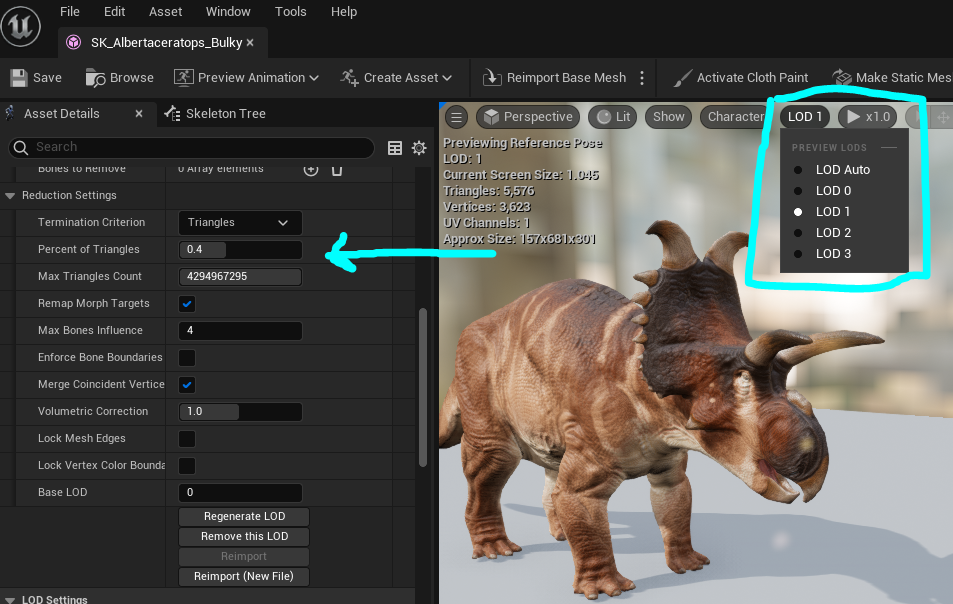
For performance reasons, it is important that you have LODs set up on your creature's skeletal meshes. This will allow lower-end devices such as mobile phones to run your mod better.
How to Test: Open your skeletal mesh and take a look at your LOD settings. Be sure to specify the minimum LOD settings to have Mobile use LOD1. More information can be found here: ../model_anim/skeletal_mesh.md