Adding Fish Spawners
Fish in Path of Titans require a Spawning Volume with unique tags and some Fish Targets. They also need to be linked to a water body so they know when to spawn/despawn if the water is too dirty. You also must set up a Fish Spawn Manager to keep track of all your fish and fish spawners.
Step 1: Setup Spawn Volume and Tags
- Ensure you have set up all your water bodies and assigned tags to them. Tutorial here.
- Select a sublevel where you have a body of water, and go to
Content\Blueprints\Fish. Drag the BP_FishSpawner onto your sublevel and place it inside your water body. It must not intersect with the ground, and cannot be placed above the water plane. - Scale the volume to be as large as you want, fish will spawn within this square.
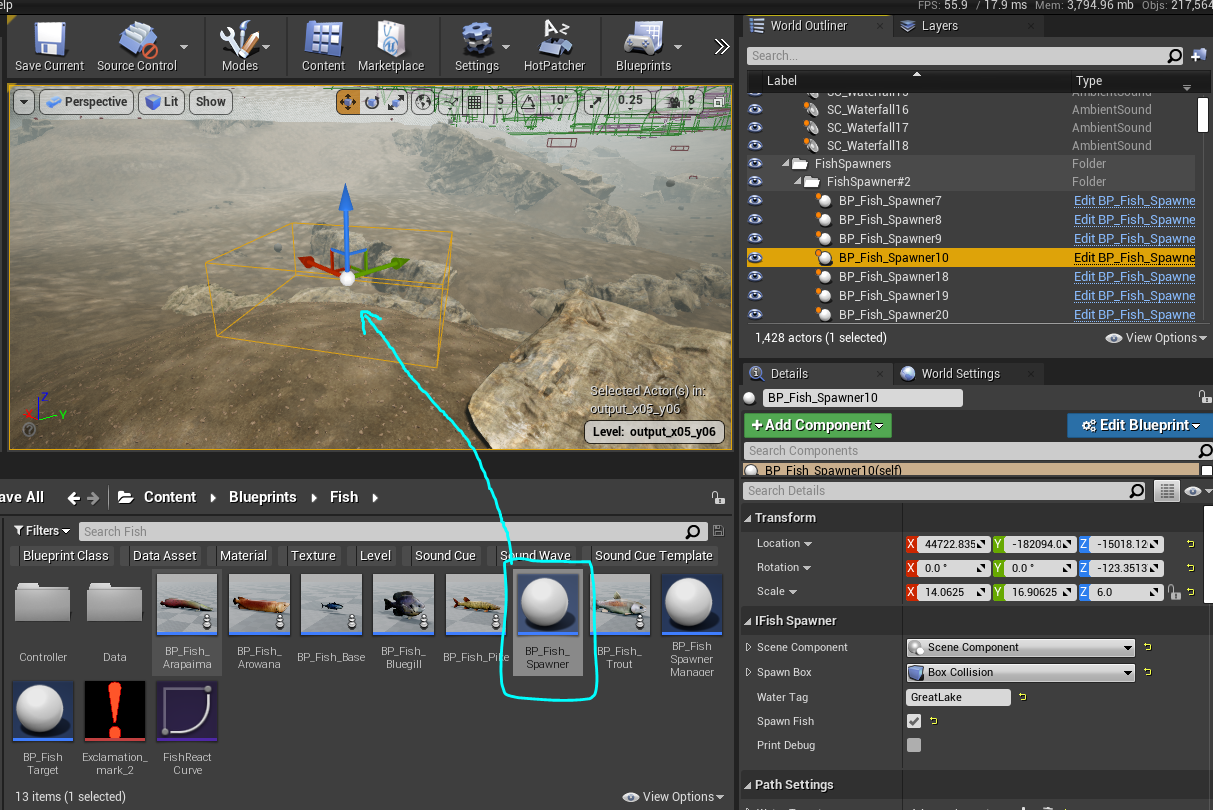
- Click on the Spawn volume and look at the Details panel. The following is a description of each variable.
- Update variables as you desire. The following is a description of each variable.
| Item | Description |
|---|---|
| Water Tag | The water tag used by the water body this fish spawner is inside. You MUST add this tag to the spawner or else it may not work. |
| Spawn Fish | This should be checked ON. |
| Water Targets | A list of targets that will be used by this fish spawner that fish will swim towards. |
| Fish Asset IDs and Spawn Chance | A list of fish that can spawn from this volume, and the chance the fish will spawn. Generally, larger fish should have a rarer chance of spawning than small fish. You can also set your own custom fish here if desired. |
WARNING
You MUST add the Water Tag to the Fish Spawner or else it will not work.
If you want to mod your own custom fish, read the tutorial here.
Step 2: Setup Fish Swimming Targets
Once a fish spawns from a spawner, it needs some targets to swim to. It will swim randomly between these targets. We suggest 3-4 targets for your water body, spread out across the entire lake.
- On the same sublevel as your fish spawner, go to
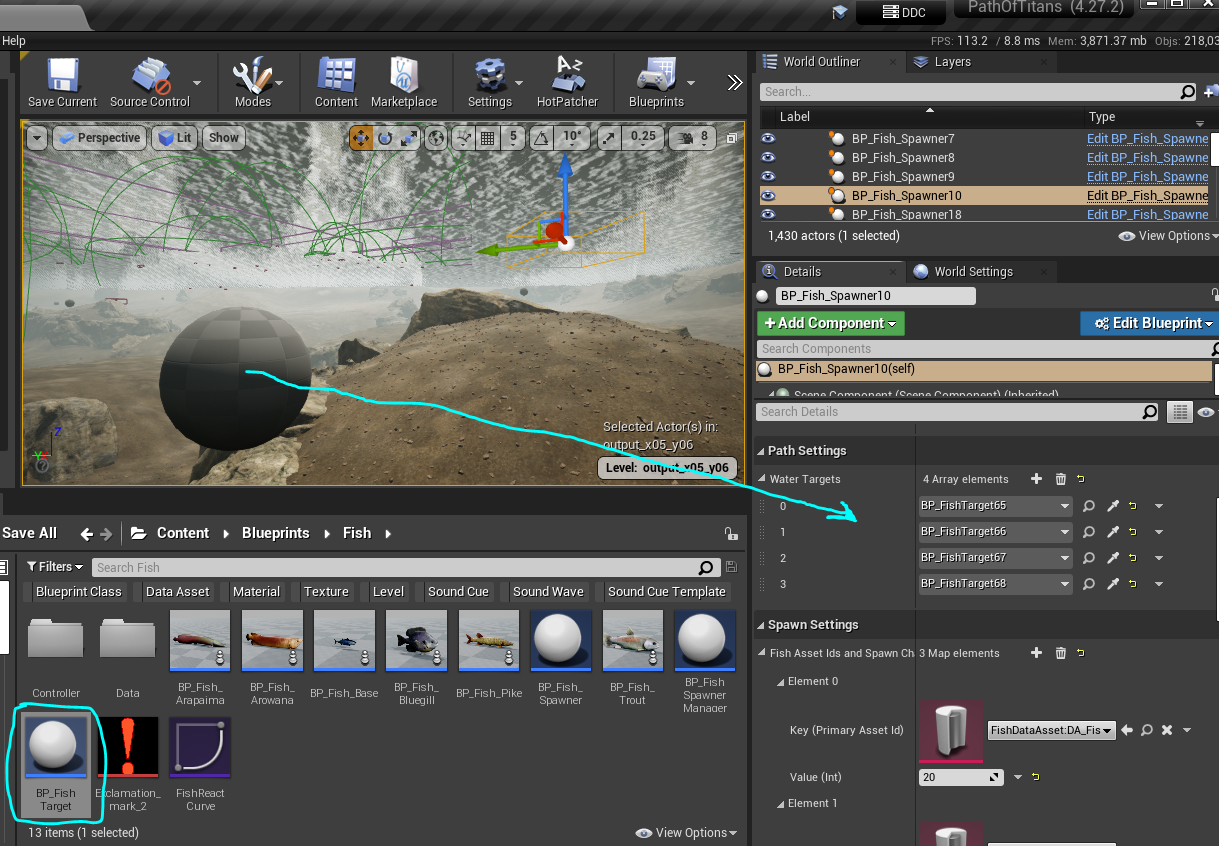
Content\Blueprints\Fishand drag a BP_FishTarget into your water body. - It MUST be inside the water, underneath the water plane, and not clipping into the terrain.
- You do not need to edit any settings on the Fish Target itself.
- Click on your Fish Spawner volume, and look at the Details panel.
- Scroll down to "Water Targets" and click
+to add an entry. - Select the Fish Target you just placed down from the dropdown list to assign it to your Spawner.
- Fish will now spawn and begin swimming to any of the Fish Targets in this list.
Step 3: Adding a Fish Spawn Manager
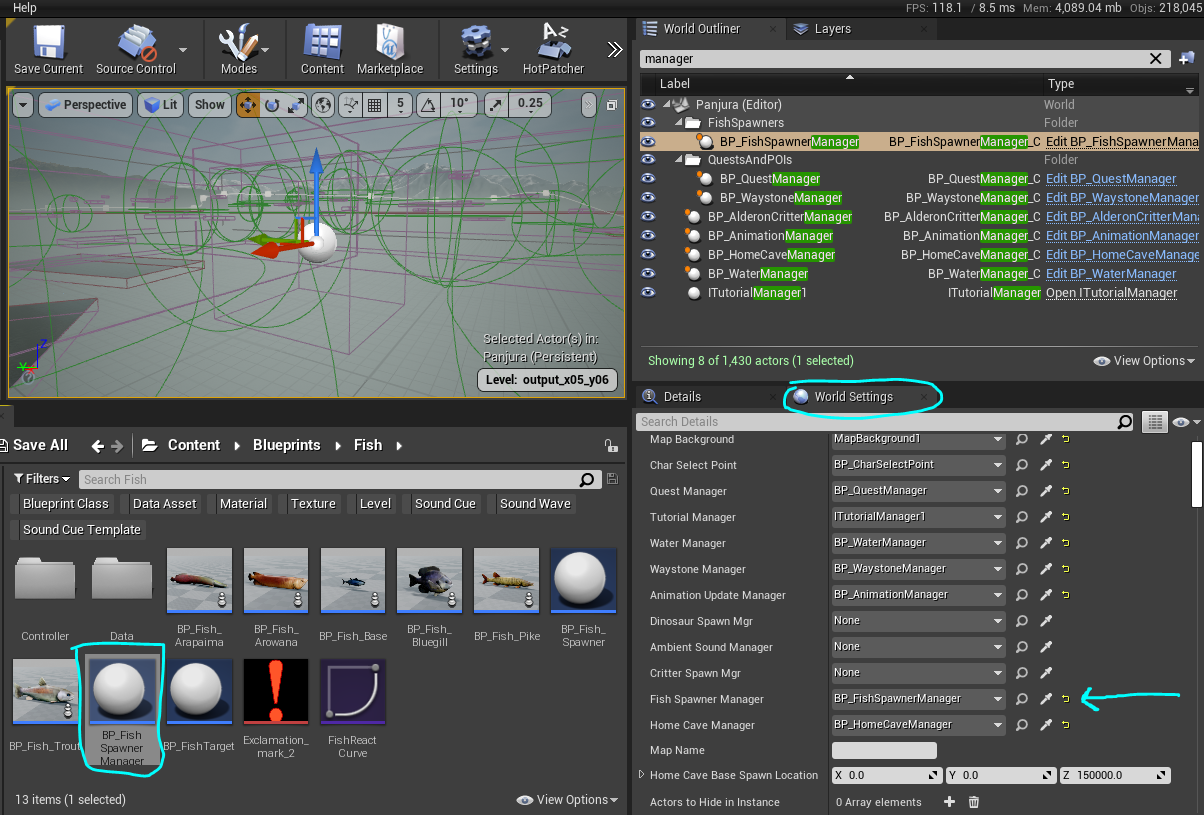
- After setting up all your Spawning Volumes and Fish Targets, you must add a Fish Spawn Manager.
- Select the persistent level of your map.
- Go to
Content\Blueprints\Fishand drag a BP_FishSpawnerManager into your persistent level - Go into your World Settings and assign the BP_FishSpawnerManager into the Fish Spawner Manager slot.
Summary
By following this tutorial you have completed the following:
- Added fish spawning volumes to your map
- Added Fish Targets that fish will swim between
- Added a Fish Spawn Manager to your persistent level