Creating a Game Ready Model
Path of Titans has an extremely flexible custom creature system that allows you to edit and implement nearly anything you'd like, and is not limited to just dinosaurs. You can absolutely mod in mammals, dragons, humans, and more. When creating a creature, please keep in mind a few technical requirements to ensure your creature does not cause performance issues. Generally most modded creatures are compatible with mobile devices, so your creature can be played by the maximum number of people!
Model Technical Requirements
- Maximum Triangle Count:
50 000 - Maximum Bones:
255(if possible, aim for 75 or less) - Maximum weights per vertex:
4 - Maximum UV Channels:
3(Body1, Body2, Eyes) - Do not mirror UVs, as this will make locational wound overlays impossible.
Modelling Tutorial
This tutorial will not explain exactly how to create a game ready model, however the general steps you will want to follow are listed below. You can also watch developers create dinosaur models in real-time from scratch with our YouTube streams below, which may help in your process:
Step 1: Create a high-poly sculpt
- Using sculpting software like Mudbox, Blender, or Zbrush, create a model with a high amount of details like scales and wrinkles. This model will probably be many millions of triangles and cannot be used directly in-game. This model will be used to add detail to your low-poly mesh.
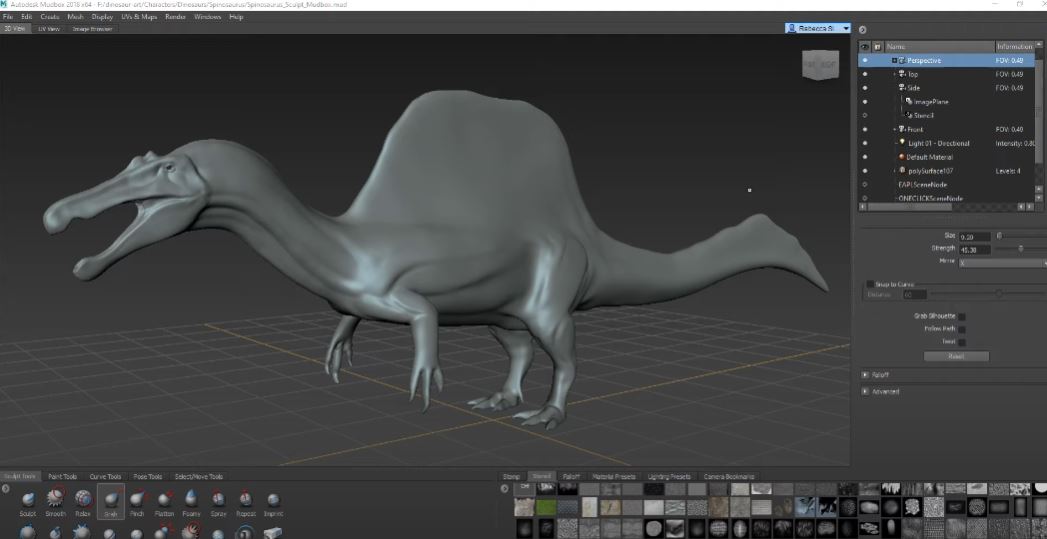
Step 2: Retopologize the sculpt into a low-poly mesh
- Using modelling software like Maya LT, Blender, Retopoflow, or Topogun, draw polygons on top of your high-poly sculpt to create a low-poly version of the creature. This is the mesh that will be used in-game. Blender tutorial below:
- Maximum Triangle Count:
50 000 - Aim for around
15 000to30 000triangles for your mesh.
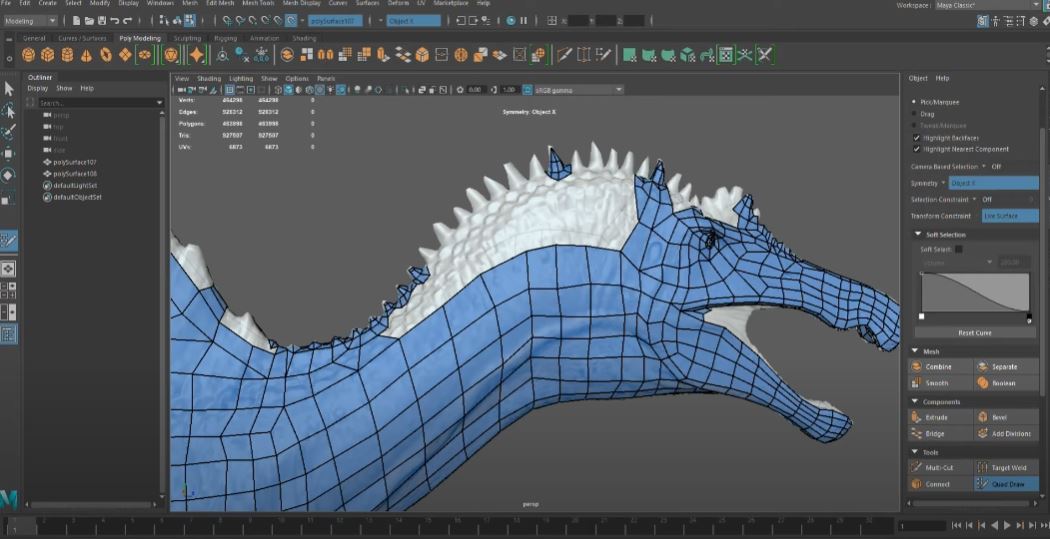
Step 3: UV unwrap your mesh
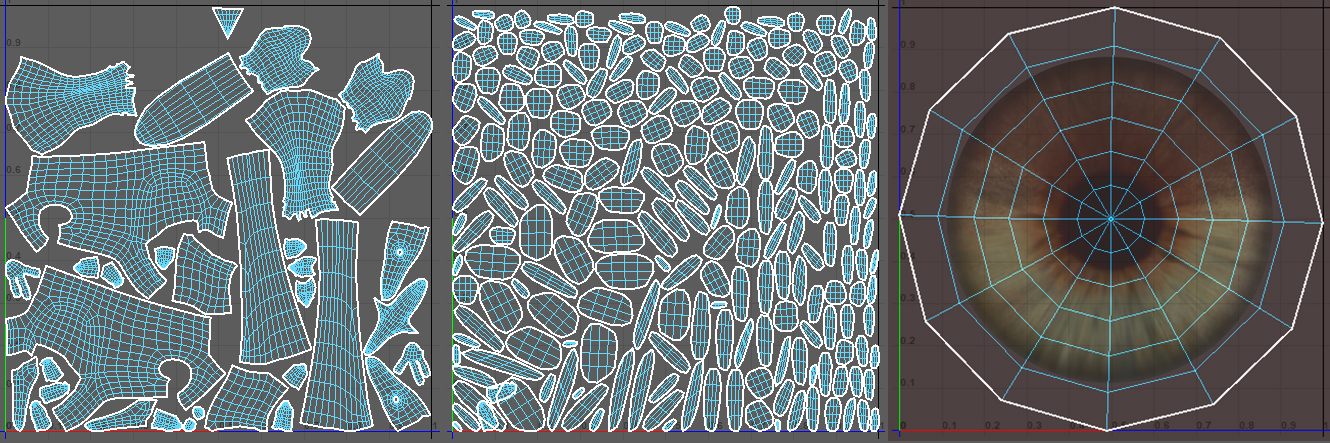
- Using modelling software like Maya LT or Blender, unwrap your mesh into up to 3 UV channels. Blender tutorial below:
- Channel 1: Main body
- Channel 2: Eyes
- Channel 3: Feathers (or any transparent items) OR additional large body parts (like plates, bat wings, frills, etc)
- Do not mirror UVs, as this will make locational wound overlays impossible.
- For eyes, make sure you unwrap the sphere so that the pupil will be in the middle of the UV (see image for example).
Once you have completed these steps, you will have a game-ready model that is ready for the next steps, such as rigging, texturing, and animating. See the next step in this tutorial for what to do next.
Feathered/Furry Creatures
When creating feathered or furry creatures, you must put all your feathers/fur into 1 UV layout. In-game, this UV will be the only one that supports Masked transparency, and therefore allows you to add feather/fur planes to your model.
Video tutorial on how to use Path of Titans Feather planes on your model:
We highly suggest exporting a feathered creature from the Dev Kit and opening it in your 3D modelling software to see how the feathers are set up.