Common Creature Mod Issues
Issue: When my creature drinks/eats it does not replenish water/food
This means your creature is using the default stats as a fallback because it's stats weren't set up properly.
- When creating your creature's stats, make sure you follow the tutorial here to begin with.
- Make sure that your creature is named correctly. The naming of your creature must be extremely specific. The Blueprint, CharData, Abilities, and Stats must all use the exact same name and spelling. For example, if you were to add a Tyrannosaurus every item must be called "Tyrannosaurus". You cannot name the Blueprint "Trex", the CharData "T_Rex", and the Abilities "Tyranno". They must all be exactly the same with the same capitalization.
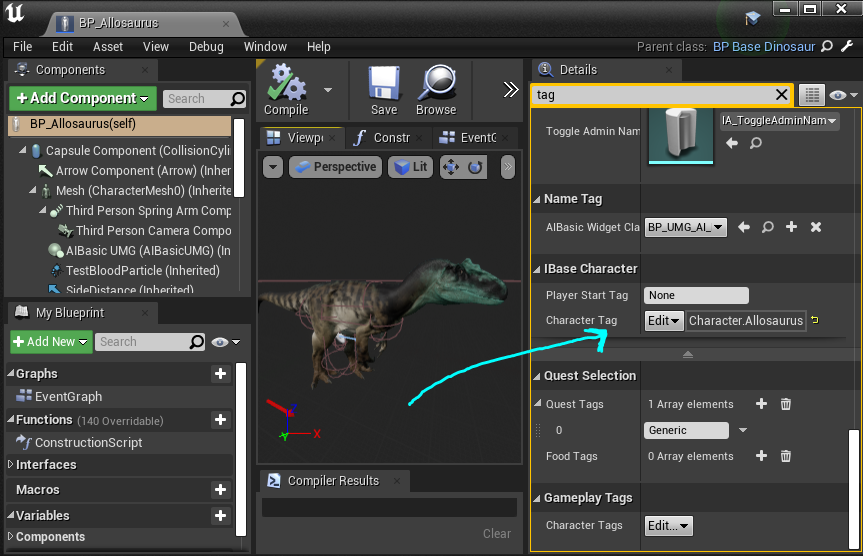
- Double check that your creature Blueprint uses the correct Character Tag, using the EXACT SAME SPELLING as the Blueprint, CharData, Abilities, and Stats.
Issue: My creature cannot target quest items, water, or food
This means your character needs a Head socket because it doesn't have a "Head" bone.
- Open your creature's skeleton.
- Find its head bone in your Skeleton Tree, or whatever bone best represents its head. Right click the bone and select
Add Socket - Rename this socket "Head"
- Test again and see if your creature can target things. It should be fixed now.
Issue: My creature doesn't do damage, and can't take damage
- Ensure your creature has a Physics Asset assigned to its mesh, INCLUDING ALL SUBSPECIES MESHES!
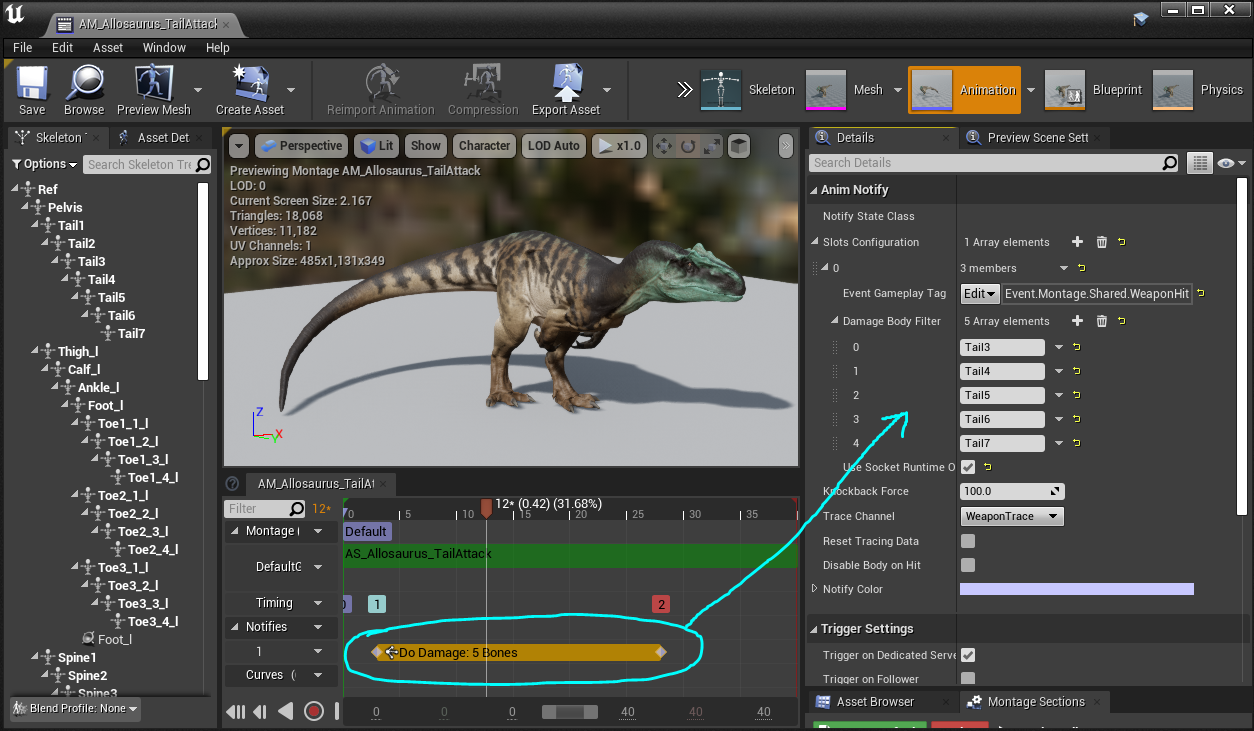
- Open your Attack Montage and ensure it has a
Do Damage: BonesNotify, and ensure the Notify has some bones slotted into its Damage Body Filter. The bone names MUST BE EXACT!
- Open the corresponding Attack Gameplay Ability Blueprint for your creature and recompile it. For example:
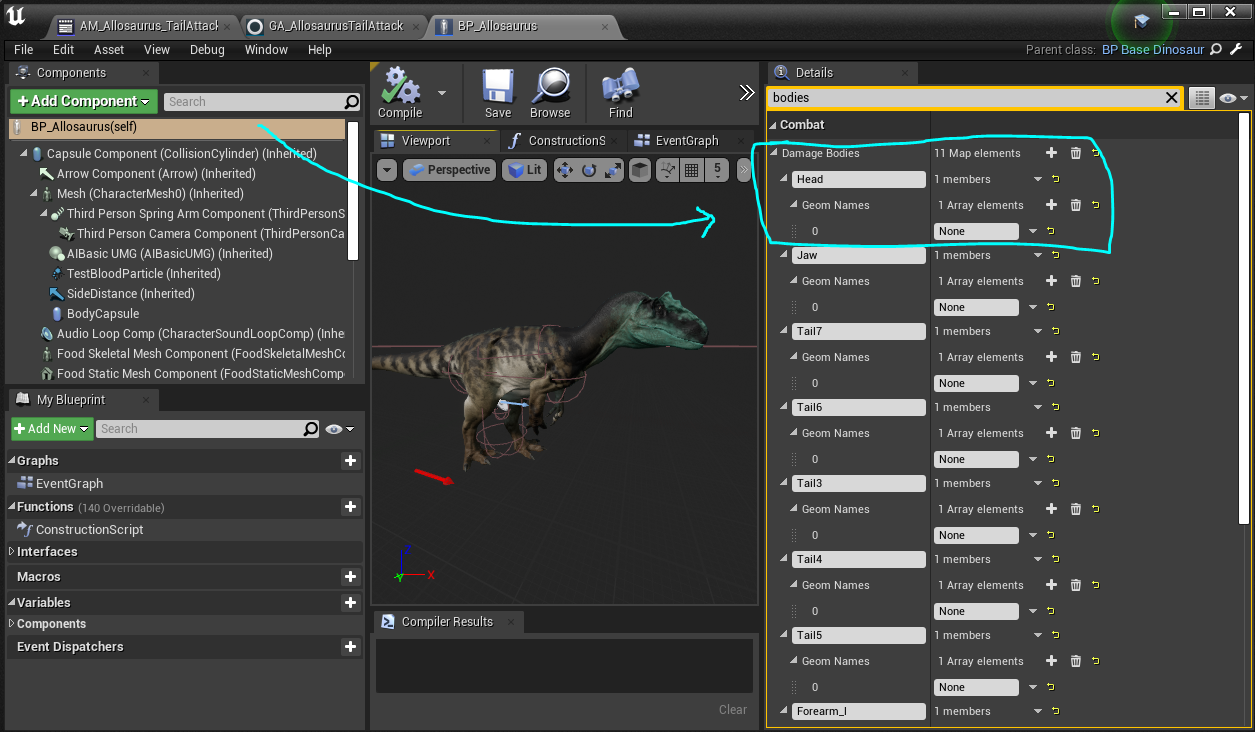
Blueprints\Abilities\Allosaurus\GA_AllosaurusTailAttackmust be recompiled. - Open your creature's Blueprint, and ensure all the bones that you use in your creatures attacks are also in the
Damage Bodieslist. - Test your attack again and see if it causes damage.
TIP
You can use the console command pot.debugweaponswings 1 to show your attack hotboxes.
Issue: My creature's mouth doesn't open correctly when it carries an item
- Open your creature's skeleton.
- Select the Food Socket from your Skeleton Tree.
- In the Details panel on the left, adjust the
Relative ScaleandRelative RotationTIP: You can do this at runtime while your creature holds an item if you need to make adjustments. - If your creature's jaw just doesn't open wide enough, you need to change the placement of the
Jaw StartandJaw Endsockets. They should be as wide open as your creature's mouth is in the Jaw Offset animations.
Issue: Server Log is Being Spammed by my Creature
This fix is for if you get the server log outputing this warning: LogAbilitySystem: Warning: FScalableFloat has no row for CurveTable /Game/CSV/A (FGameplayEffectModifierMagnitude::AttemptCalculateMagnitude from effect Default__GE_MYGE_C) This issues is caused by Unreal keeping some Gameplay effects (GE) scalable parameters cached even when they are not used. There are 2 main causes:
- The GE was copied from another one, and the duration policy has been changed from either HasDuration/Infinite to Infinite/Instant
- The GE has some invalid parameters that needs to be addressed.
Unfortunately the log won't tell you which property is at fault, but you will have the Gameplay effect that is affected at the end (FGameplayEffectModifierMagnitude::AttemptCalculateMagnitude from effect Default__**GE_MYGE**_C) You can safely ignore Default__ and the _C
Reviewing and fixing the Duration Policy
- Open the Gameplay effect that is causing the warning
- Go to the Duration policy

If it is Instant:
- Switch to Has Duration
- For both Period and Duration:

- Select any Curve table
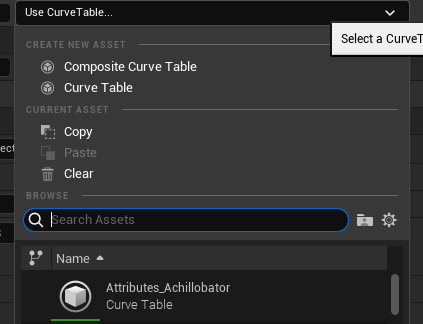
- Press the X to remove it

- Change the duration policy back to Instant
- Save and compile
If it is Infinite:
- Switch to Has Duration
- Check the Period Field

- Select any Curve table
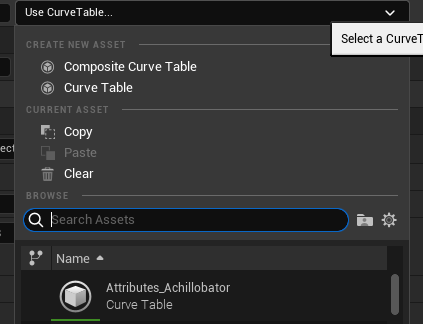
- Press the X to remove it

- Change the duration policy back to Infinite
- Save and compile
If it is Has Duration:
- Check the Period
- If it is not set (no curve): Select any curve and press the X to clear (see Inifinite 4.)
- if it has a curve: make sure a row has been selected

- Check the Duration This field needs to be filled by either a static value (> 0) or by a static value (= 1 most of the time) AND a curve
2 valid examples:
No Curve, duration = 5s

Has a curve, duration = 1 x 30s

- Change the duration policy back to Has Duration
- Save and compile
Other scalable parameters
Check other parts of the GE where a scalable float might be setup (Mostly Modifiers)
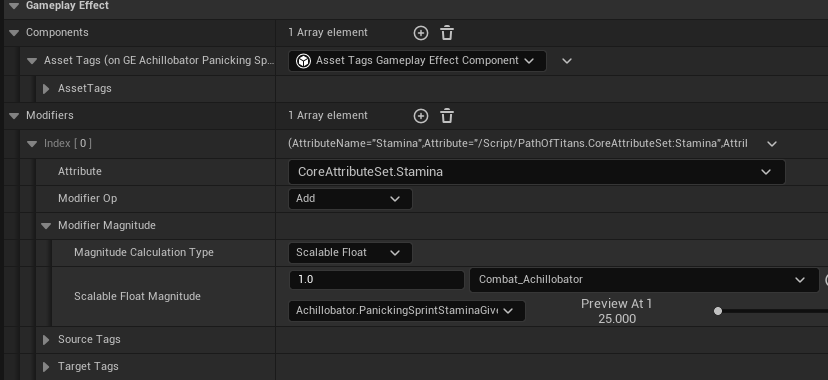
Make sure any scalable float is filled correctly. If it doesn't have a curve associated:
- Select any curve
- Press X to clear it
- Save and compile
Testing the Fix:
- Play the game and use the ability that is linked to this Gameplay effect
- The warning shouldn't appear anymore in the server log.
Issue: My Abilities aren't Triggering Consistently
This is most likely due to server optimizations we have made. To solve this:
- Open every single one of your GameplayAbility blueprints (such as GA_DinoNameTailAttack)
- Ensure
Server Respects Remote Ability Cancellation = true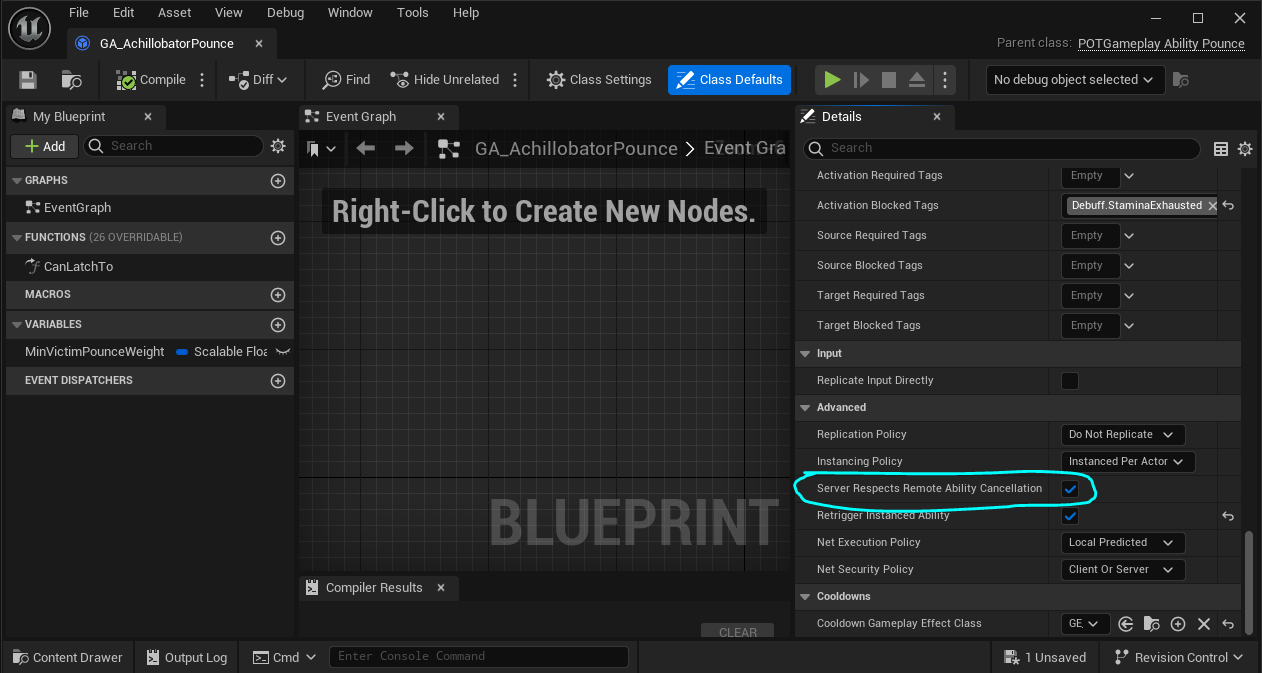
- Compile and save the ability.
This should be set to true for every single ability, and there is no reason for this to not be enabled. If it is not enabled the ability may not always finish correctly and your creature will get stuck.
Issue: My Root Motion Ability isn't moving my Creature
Path of Titans does not support root motion from animations. Instead, you must animate your creature without root motion, and add the motion back in through your Gameplay Ability blueprint. Below are two tutorials about how to set this up.
Basic Root Motion Tutorial:
Additional Root Motion Types:
Issue: "Invalid Character Data" when trying to spawn as my creature
We have checks in place to ensure players don't accidentally spawn in as an invalid character. If you get this error, it means your creature's Blueprint, CharData, or SkinData may not set up correctly. 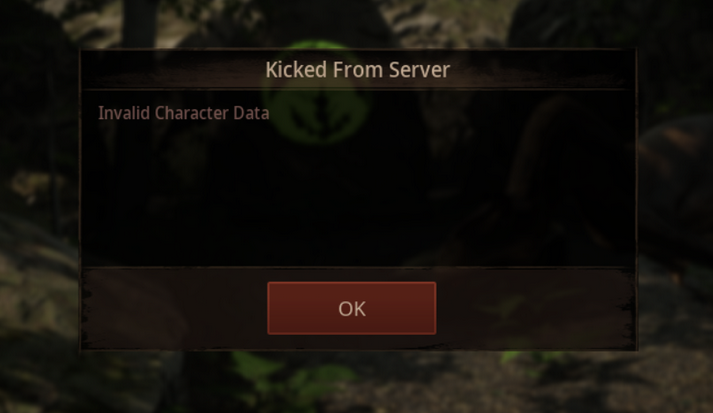
Check Creature Blueprint:
- Open your creature's blueprint.
- Ensure
Character Tagis set toCharacter.DinoNamedepending on what your creature's name is. This needs to be the exact same name used in your Curvetables, Blueprint Name, Ability Names, CharData Name, and everywhere else you've named your character.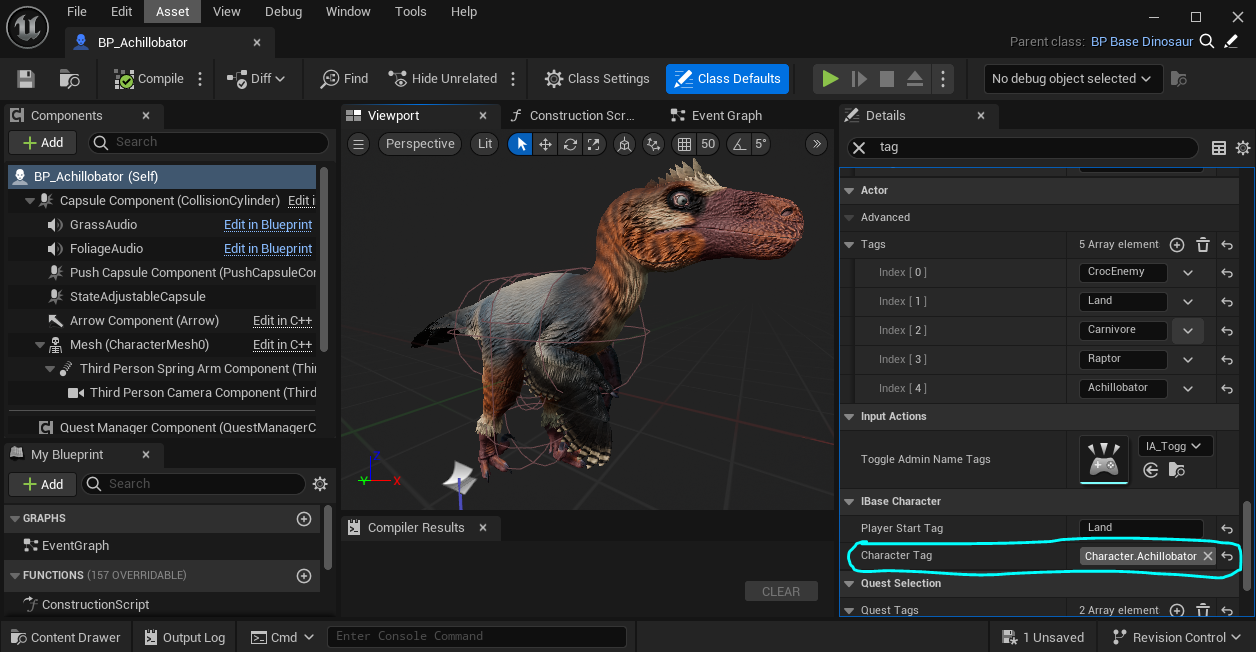
- Ensure your
Character Data Asset Idis set to reference your CharData asset.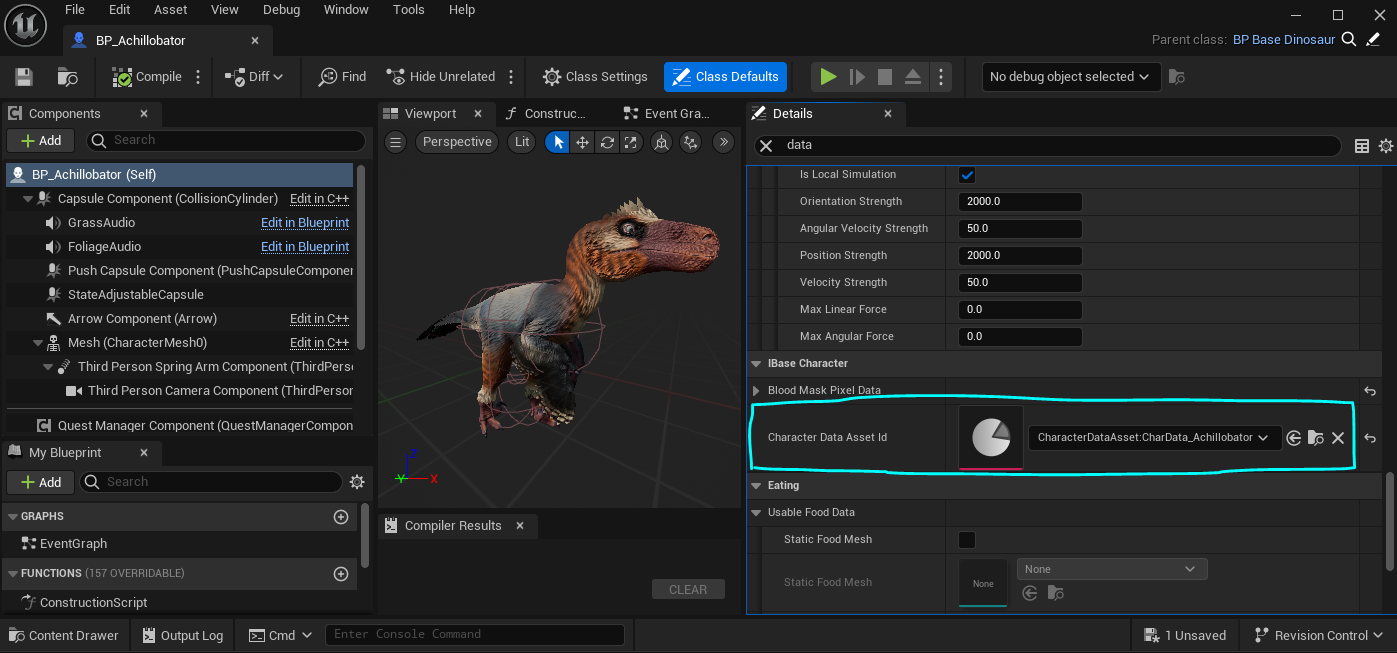
- Check that your characters
State Effectsare all assigned where appropriate.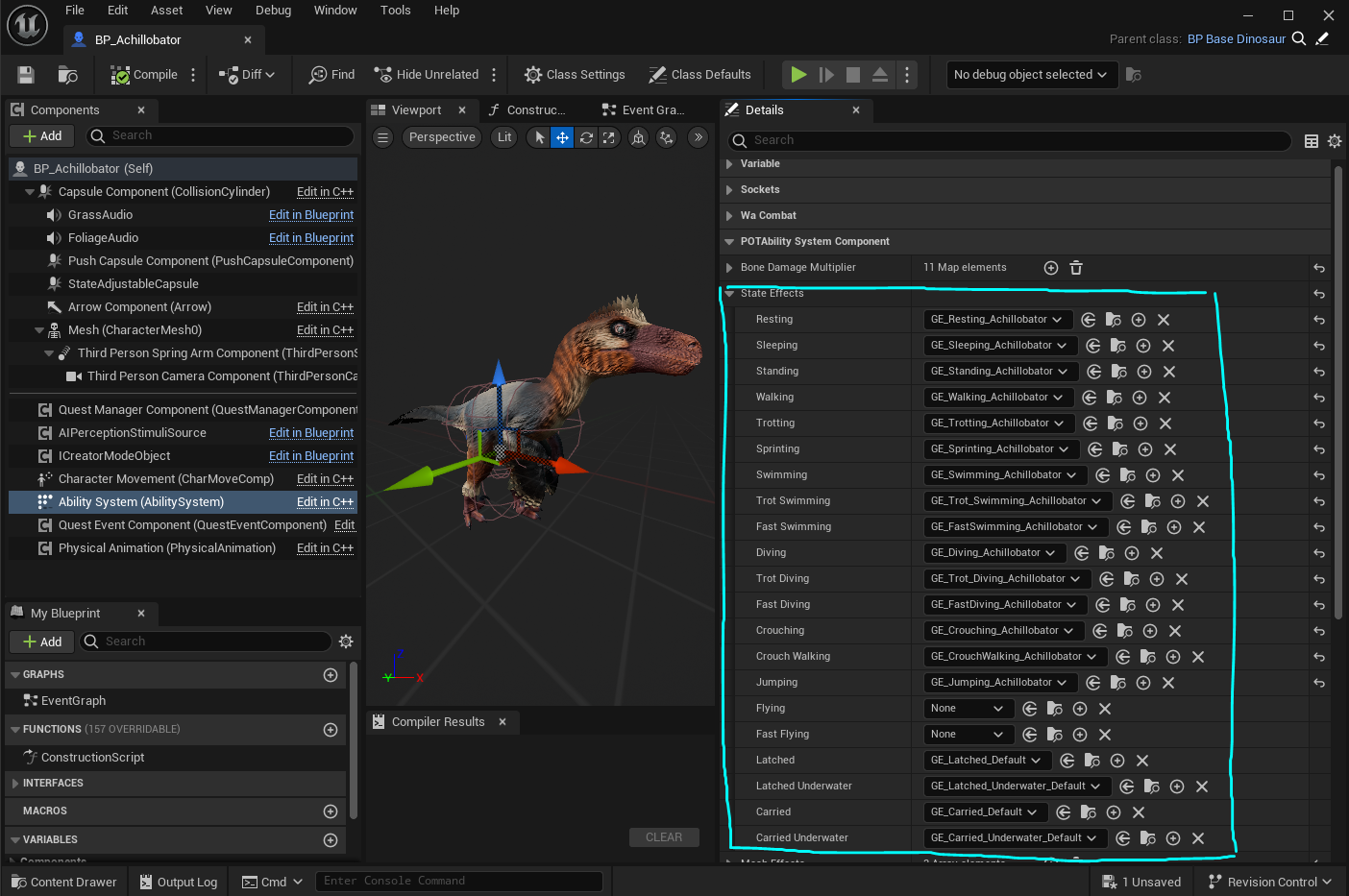
Check your CharData:
- Ensure your Preview Class is set to your creature's Blueprint.
- Ensure you have the correct Skeletal Mesh assigned.
- Check your
SkinDatais slotted in correctly and not using some other creature's SkinData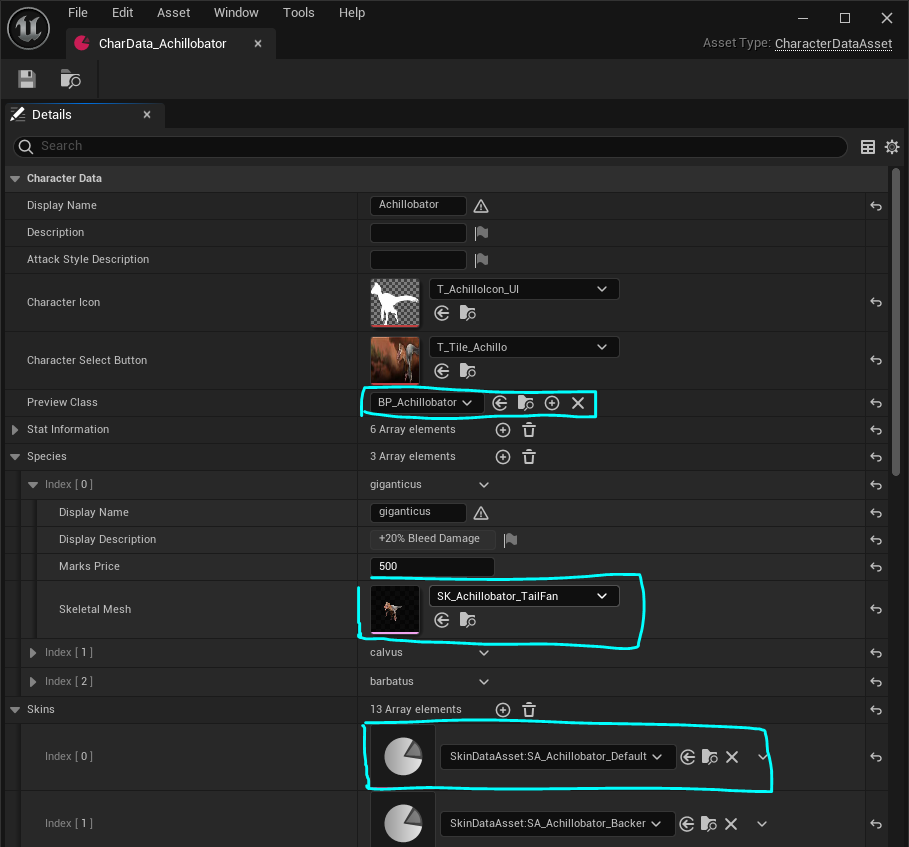
Check your SkinData:
- Open every single SkinData for your creature, and ensure it is referencing your
CharDatafor your creature in theCharacter Asset Idslot. 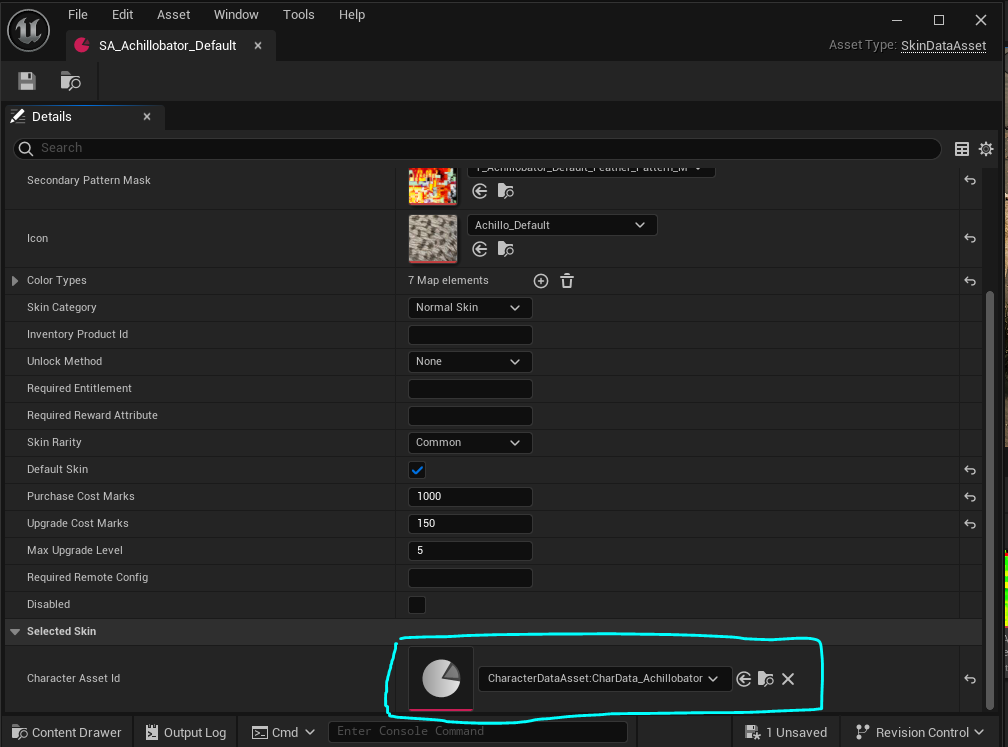
Ensure all the above steps are completed, and then your character will be able to spawn without problems.