Using the Ability Editor Tool
Alderon Games has created a tool that modders can use to Set up their dinosaurs stats and create basic attack abilites. This tool is included in the Dev Kit, and you can access it easily.
INFO
In order to use the AbilityEditor tool with your modded creature, you must first create and setup a CharData Asset. Without the CharData Asset, the ability editor will not detect your creature nor display it.
DANGER
Once you have created your ability DataAssets, you MUST NOT RENAME OR DELETE THEM.
If you rename or delete any DataAsset in the project, you mod will become corrupt and any community server owner who has hosted your mod will now have a corrupt database. You must NEVER RENAME an ability DataAsset, character DataAsset, or skin DataAsset.
If you have accidentally renamed or deleted a DataAsset, you must change the name back to what it was originally, or restore the deleted asset (possibly by creating a new DataAsset with the same name and location as the deleted one), and patch your mod as soon as possible to try and mitigate the damage done to community servers.
TIP
If you need to rename something, instead of changing the DataAsset name, you can change the display name of the item by opening the DataAsset and changing the "Display Name" entry.
If you need to disable something, instead of deleting it or renaming it, you can select the "Disabled" checkbox in the DataAsset. Note: Even after disabling it, you must still leave it there as disabled and cannot ever delete it in the future.
Open The AbilityEditor Tool
To open the AbilityEditor tool:
- Inside the dev kit, go to
Content/GameplayAbilities - Right click on "AbilityEditor" and select "Run Editor Utility Widget"
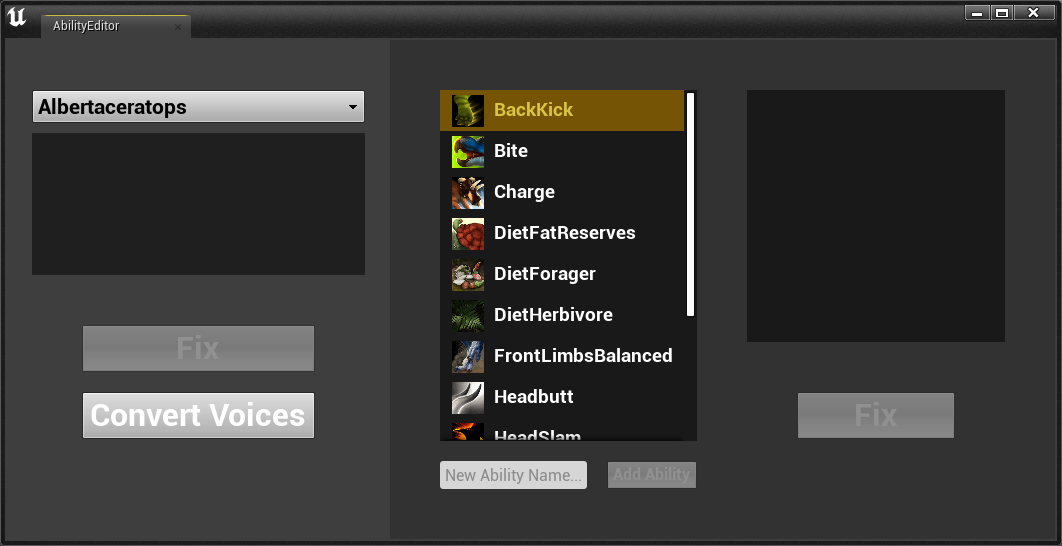
- The ability editor will load, displaying dinosaurs, abilities, and any warnings or errors.
Using the AbilityEditor Tool
With the tool open, you can now use it to detect problems with your character or your abilities. The tool will display warnings or errors in the output sections.
You can create a new ability by typing in the ability name and clicking "Add Ability". When an ability is created, it will automatically be generated and placed into Content\Blueprints\Abilities\CreatureName
Be careful here, because this has been generated in the Content folder, it means that you will eventually have to move it into your Mod folder later after you are done setting it up.
Known Issues
The AbilityEditor has a few known issues.
- The naming of your creature must be extremely specific. The Blueprint, CharData, Abilities, and Stats must all use the exact same name and spelling. For example, if you were to add a Tyrannosaurus every item must be called "Tyrannosaurus". You cannot name the Blueprint "Trex", the CharData "T_Rex", and the Abilities "Tyranno". They must all be exactly the same with the same capitalization.
- If you have created a CharData asset recently, you may need to restart your Dev Kit and re-open the AbilityEditor tool in order to see your creature.
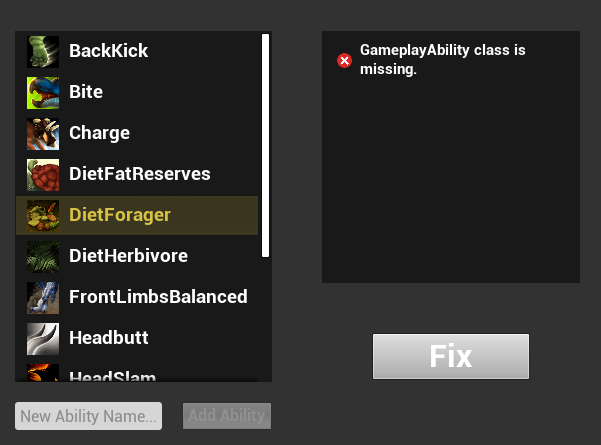
- If you select an ability from the Ability column, it may display an error like "GameplayAbility class is missing." However, because not all abilities require these classes, this is actually not an error and shouldn't be fixed. For example, Diet Abilities do not require an ability class.