Updating Creatures for the Pounce Update
The Pounce update has added a new feature to the game that allows creatures to pounce on other creatures and players. This tutorial will walk you through the steps required to update your creature to use this new feature.
Fixing animation blueprint:
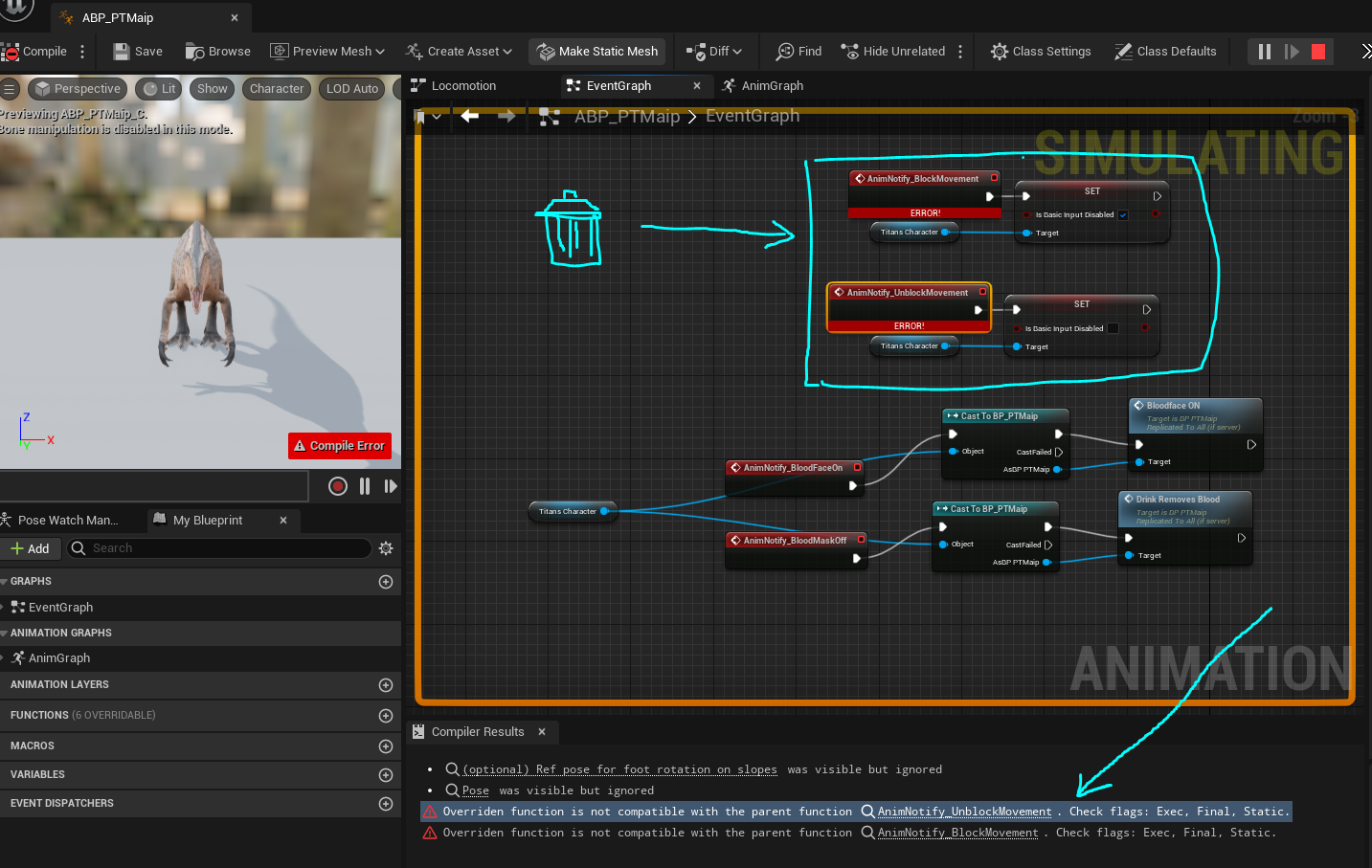
- Open ABP and delete the following section in Eventgraph
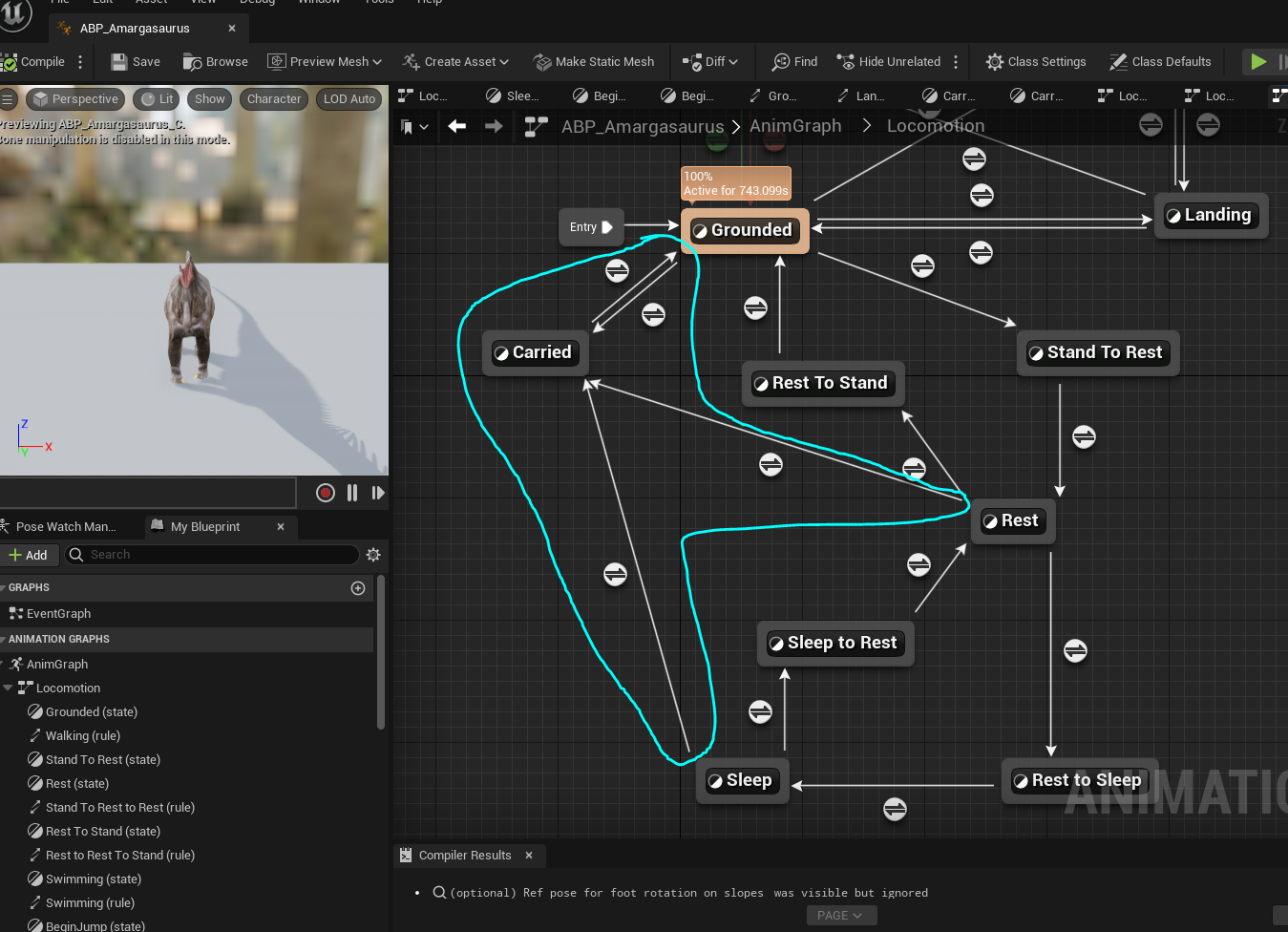
- Create a new locomotion state called "Carried" and assign the different transition arrows to it. Please refer to another dinosaur as an example to see exactly how this works.
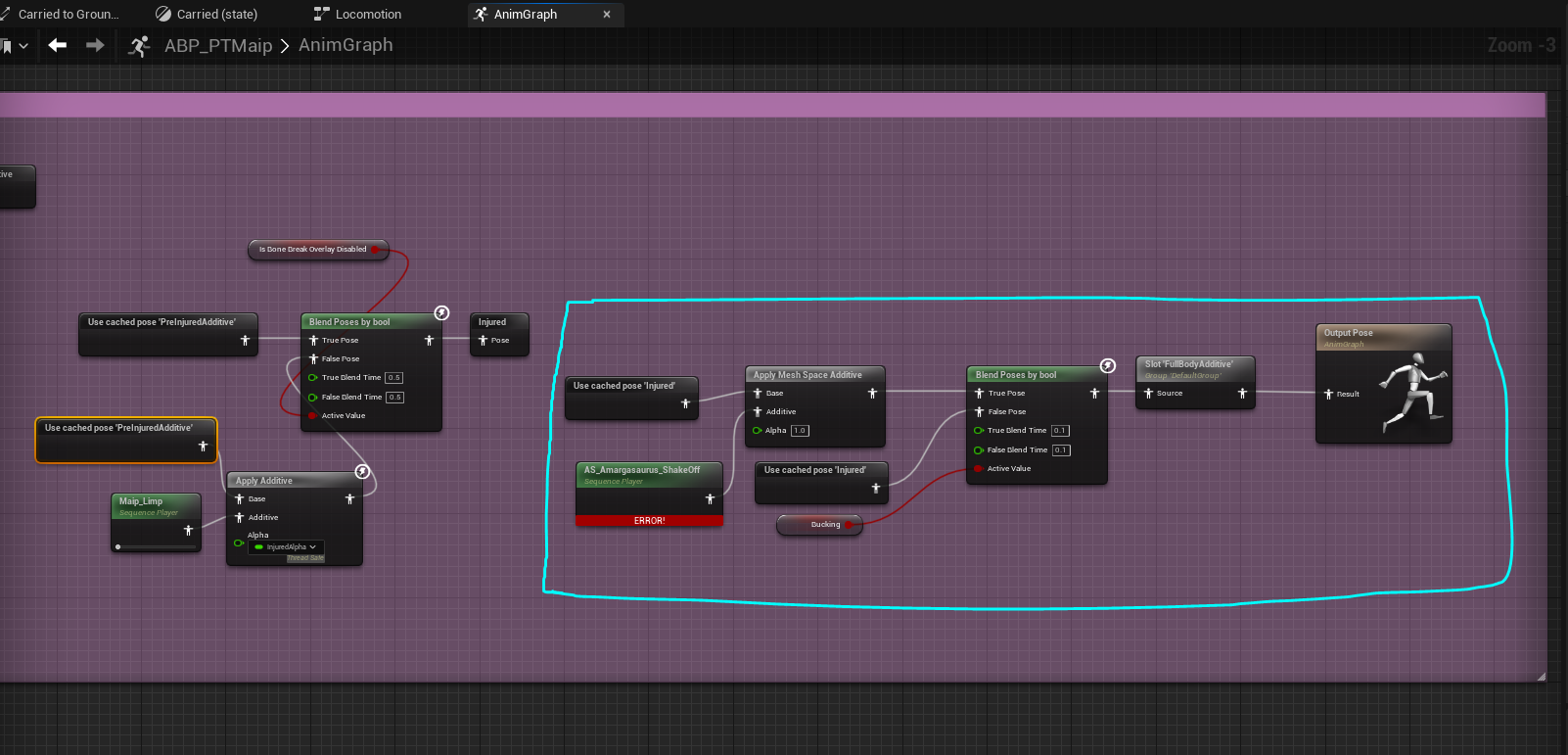
Update the animation graph to add the following section right at the end:
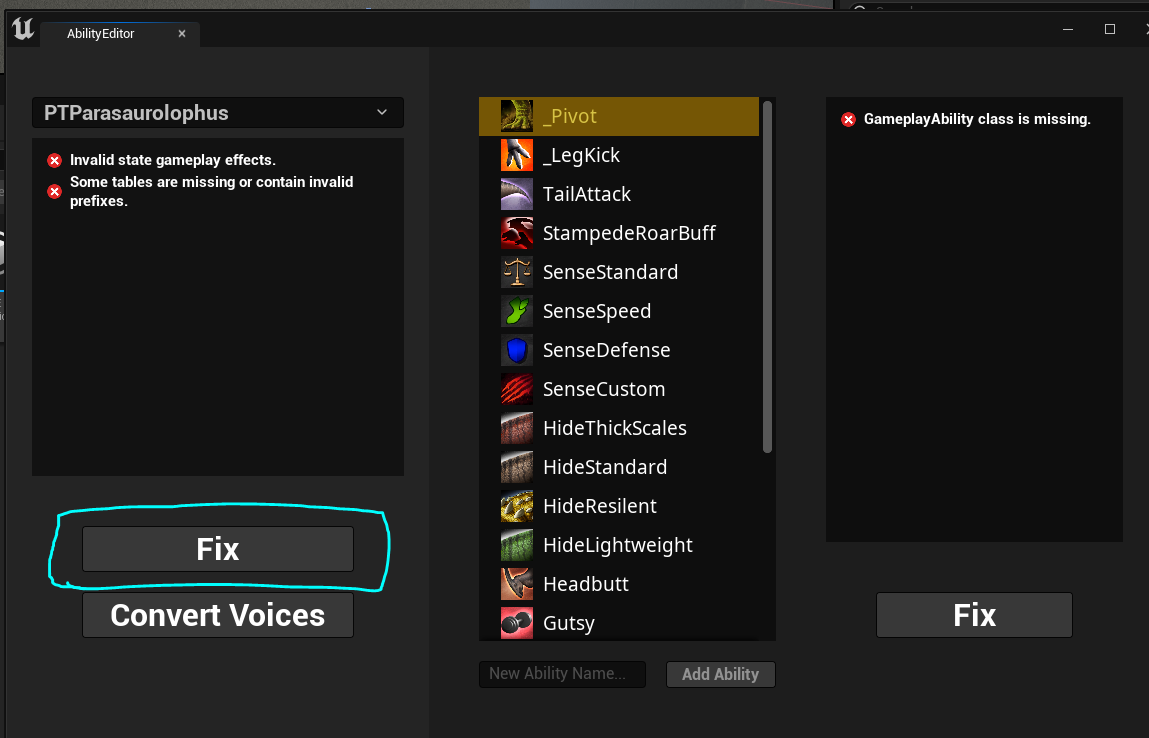
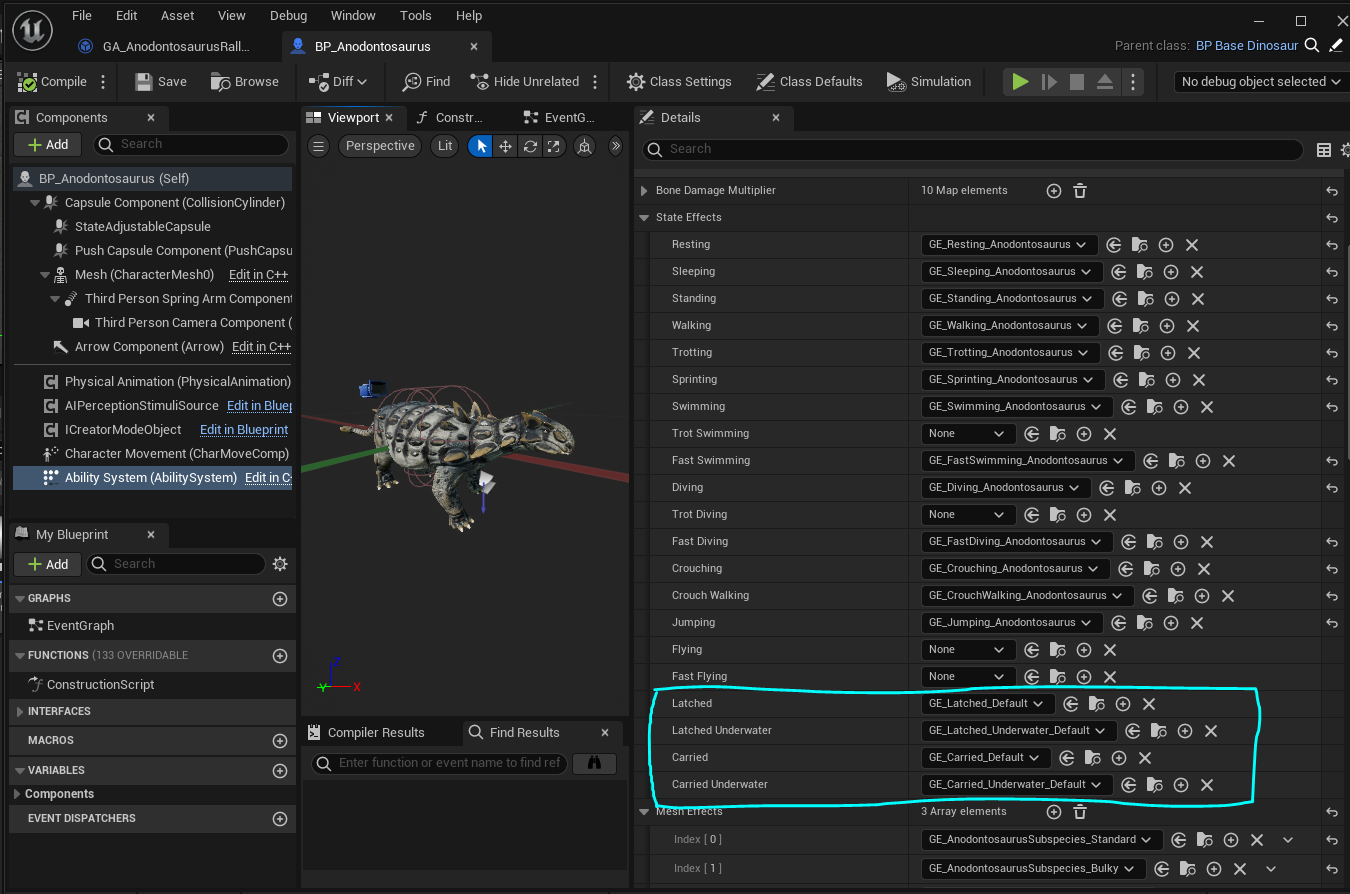
Add the gameplay state effects for Pounce and Latching.
Updating Abilities:
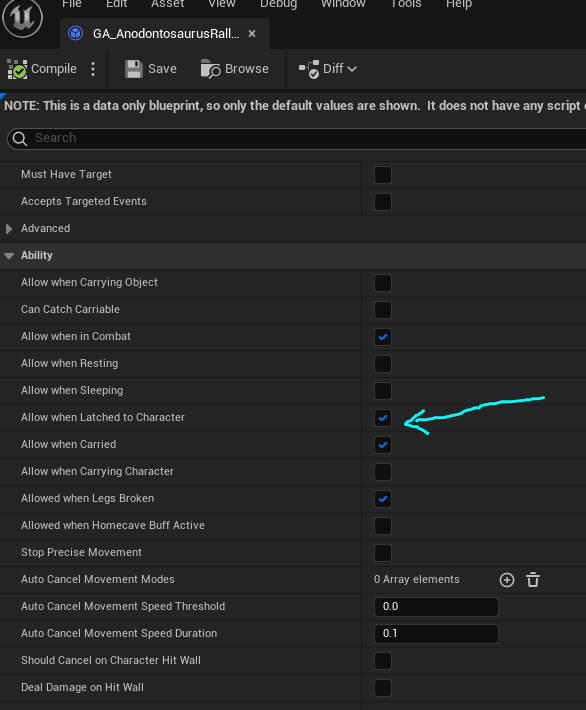
Open your gameplay ability blueprint and scroll down to the "Ability" section. Here you can find all the different states you can use the ability in. If this ability should be used when you're latched onto a player, you can enable it, etc.
Adding Latched and Carried State Effects:
We have added a couple new gameplay effect states that will need to be assigned to your character.
- the easiest way to get this setup initially is to use the AbilityEditor widget.
- go to
/Game/GameplayAbilities/AbilityEditorand right click > Run Editor Utility Widget - In the top left, select your mod dinosaur and click "Fix"
- this will create your initial missing states for latched and carried.
- You should then refer to the other dinosaurs to see exactly how each state should be set up in terms of tags and modifiers. Try and copy them exactly.