Setting Up IK
IK stands for "Inverse Kinematics", and is basically the logic that is used to make your creature align to the terrain and lift its feet up when it stands on something. Without IK, your dinosaur will simply stand up straight at all times.
Setting Up IK in your Character Animation Blueprint
- Open the Animation Blueprint for your creature.
- In your animation blueprint, search for the Dragon Spine Solver and Dragon Foot Solver.
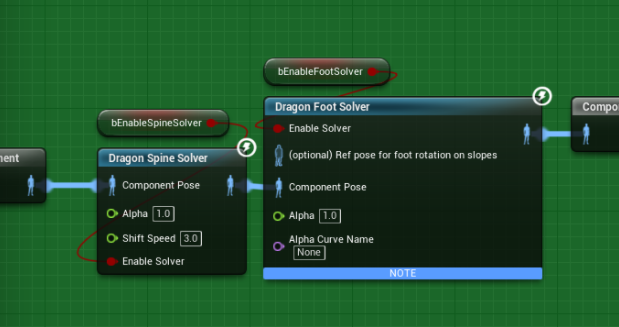
- Click on the Spine and Foot Solver and enter the information required about your skeleton bone names.
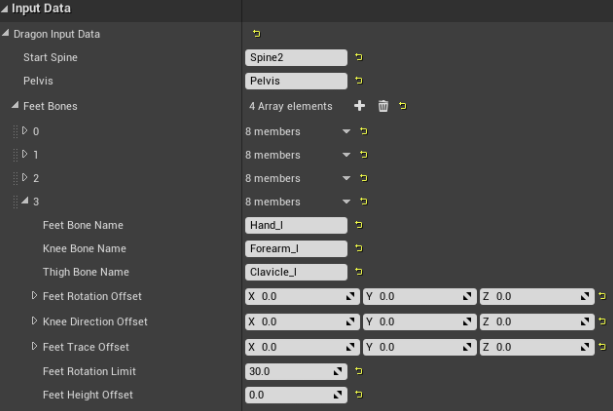
You can also adjust the pitch, foot height, and other variables within this solver to fine-tune your IK.
TIP
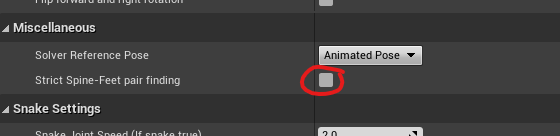
If the game freezes when your creature model loads, you need to uncheck the “Strict Spine-Feet pair finding” checkbox in the Dragon Spine Solver in the Animation Blueprint.