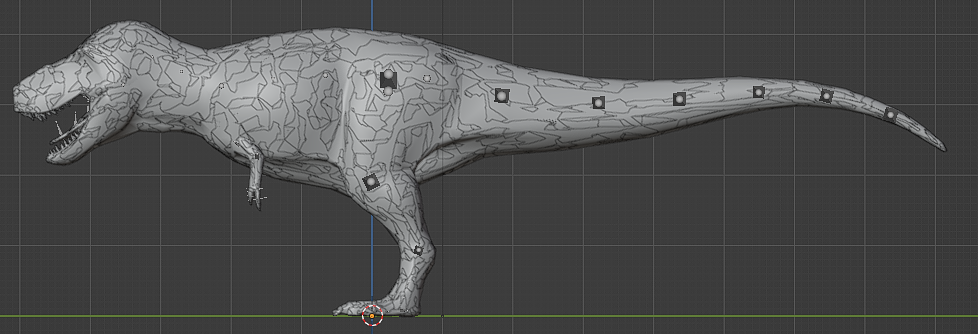
Exporting Files and Textures from DevKit
You can export files from the Dev Kit in order to use them in other software packages. This is helpful if you want to paint skins, edit meshes, edit textures, or use any files as reference for your own creations.
WARNING
You are not permitted to use any files found in the Dev Kit outside of Path of Titans Modding. All files are copyright Alderon Games, and you do not gain ownership of any files by modifying them, such as changing a mesh or texture.
DANGER
Please read and understand the Alderon Games Modding Agreement before exporting any files from the Dev Kit.
Exporting Files
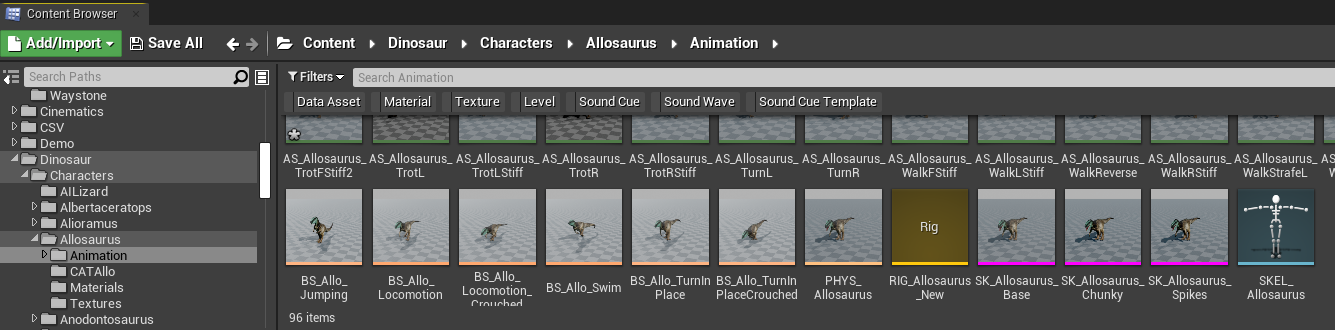
- Open the Dev Kit and locate the files you wish to export.
- Right click on the file and select
Asset Actions > Export - Select the location you want to export the file to.
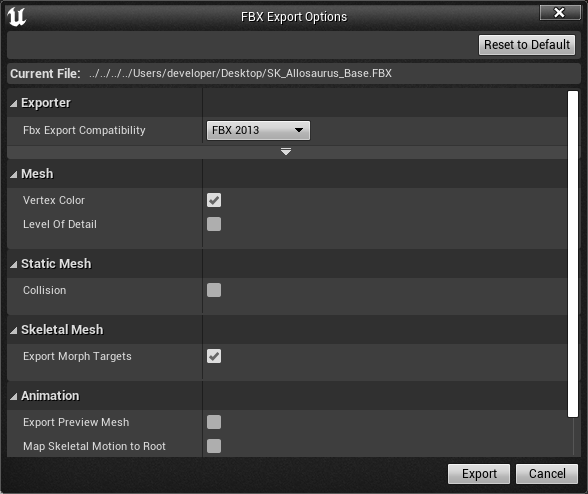
- Certain export types will display a window pop-up asking you what settings you want to use on export. Adjust your settings accordingly, and click "Export"
You can now use the exported file for whatever you need, such as painting skins or editing meshes. Remember, this file must be used exclusively for modding Path of Titans, and must not be used in any other way.
Common Issues:
1. Dinosaur Mesh Looks Patchy or Low-Poly
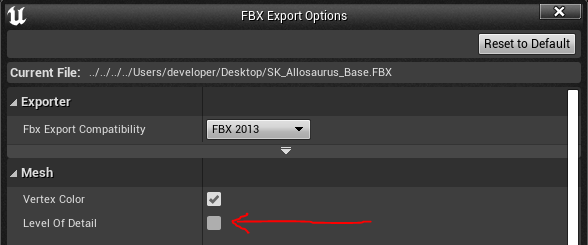
You have exported all LODs with the mesh. You only want LOD0 (the base mesh).
Solution: On exporting the mesh from Unreal in the FBX Export Options, DISABLE "Level of Detail" checkbox.