Example Chat Commands
Displaying the Player's Name - Beginner
Open the "Full Blueprint Editor" for your command blueprint, and under the "Functions" context on the left, select "Override" and then select the function that corresponds to the
Command Typethat you specified earlier. (Server, Client, Standalone). In this example we are usingOn Server Execute Command.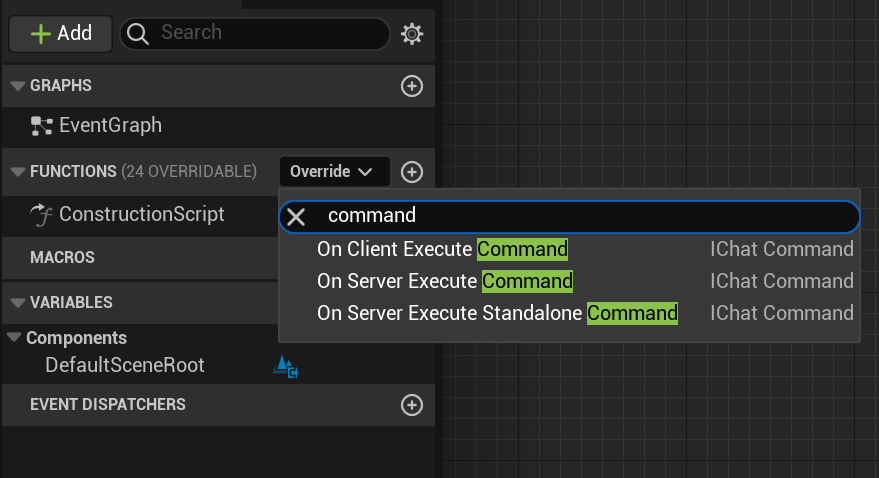
Your blueprint should now look like the following image. The
Return Nodetakes a Text value, which is messaged to the player upon command execution.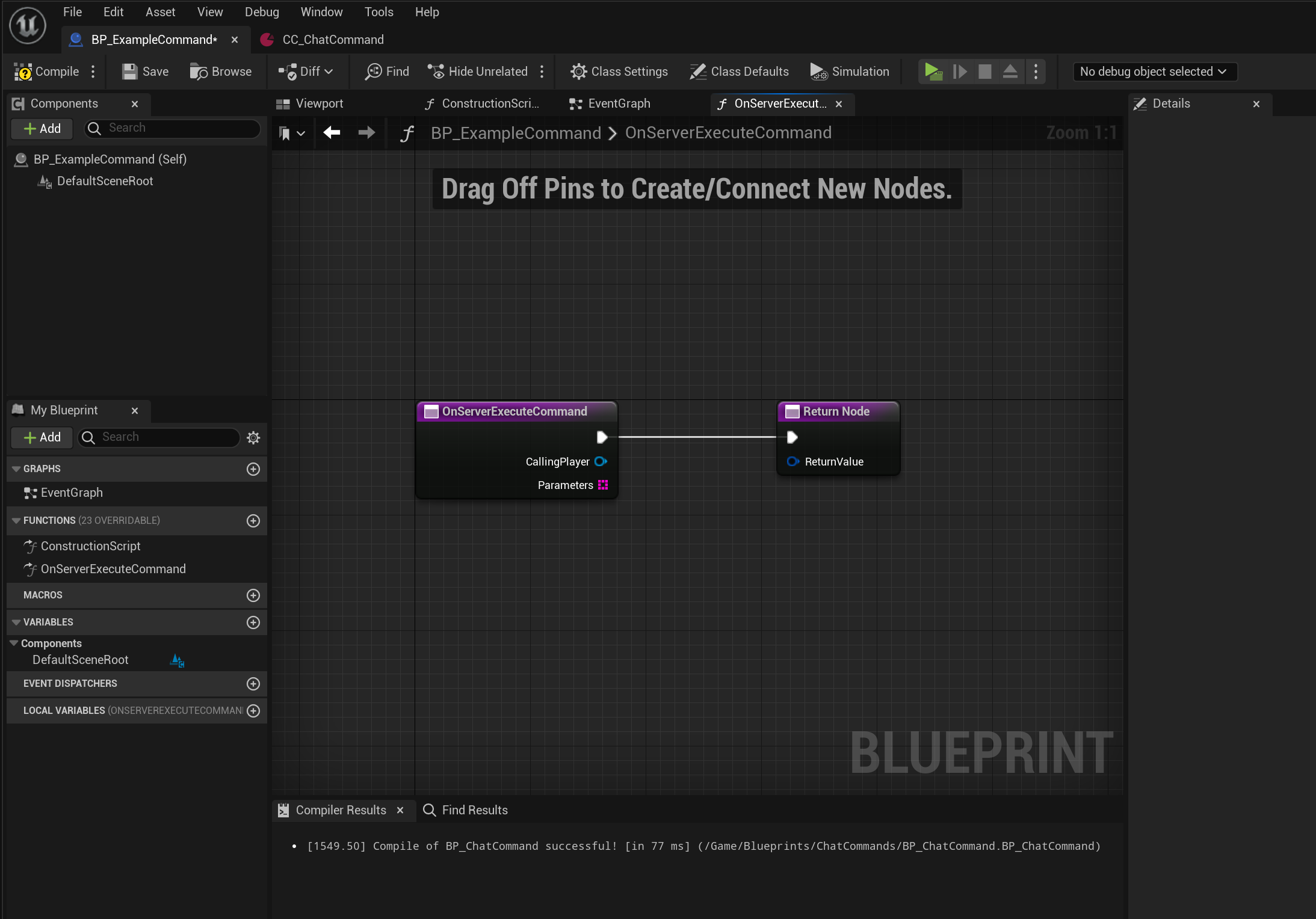
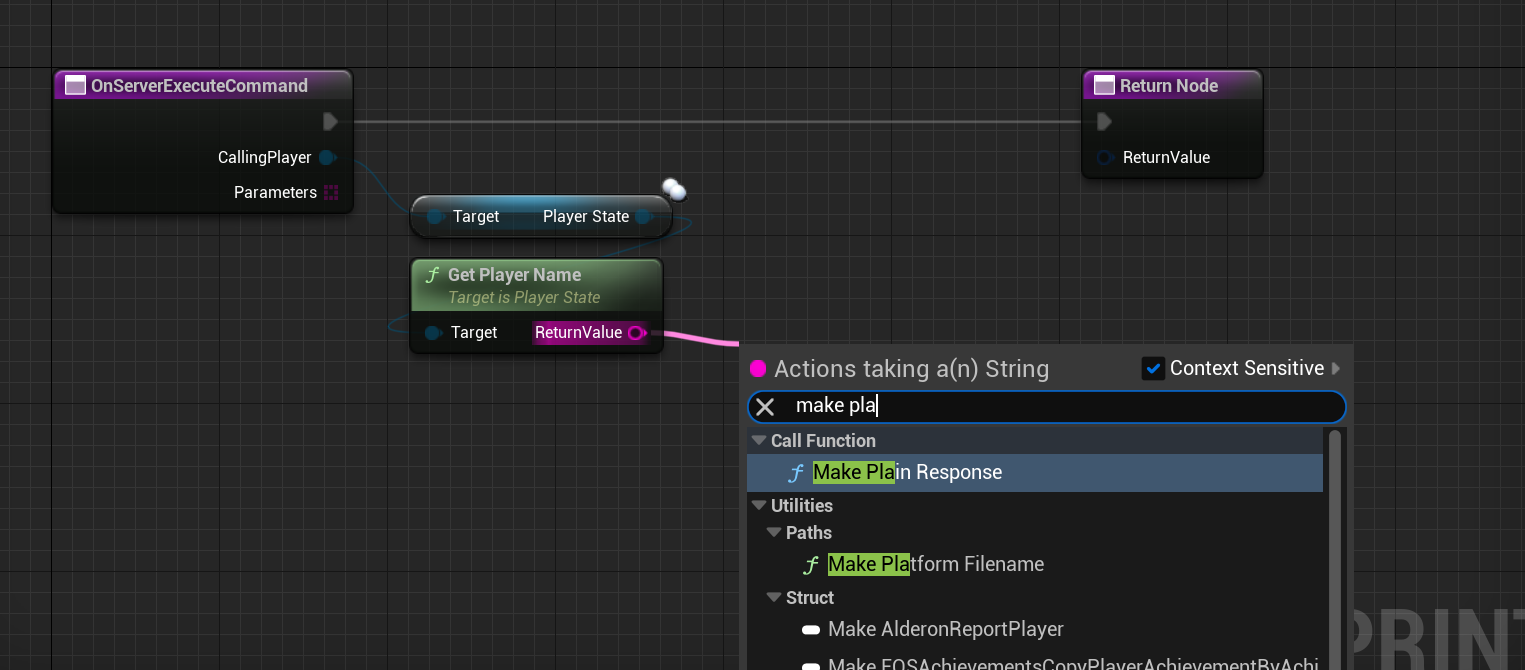
For this example, let's make the command message the player their own player name. To do this, we must first drag from the
CallingPlayerpin of theOnServerExecuteCommandnode, and typeGet Player State. Press enter on theGetPlayerStateselection to add the node to the blueprint graph.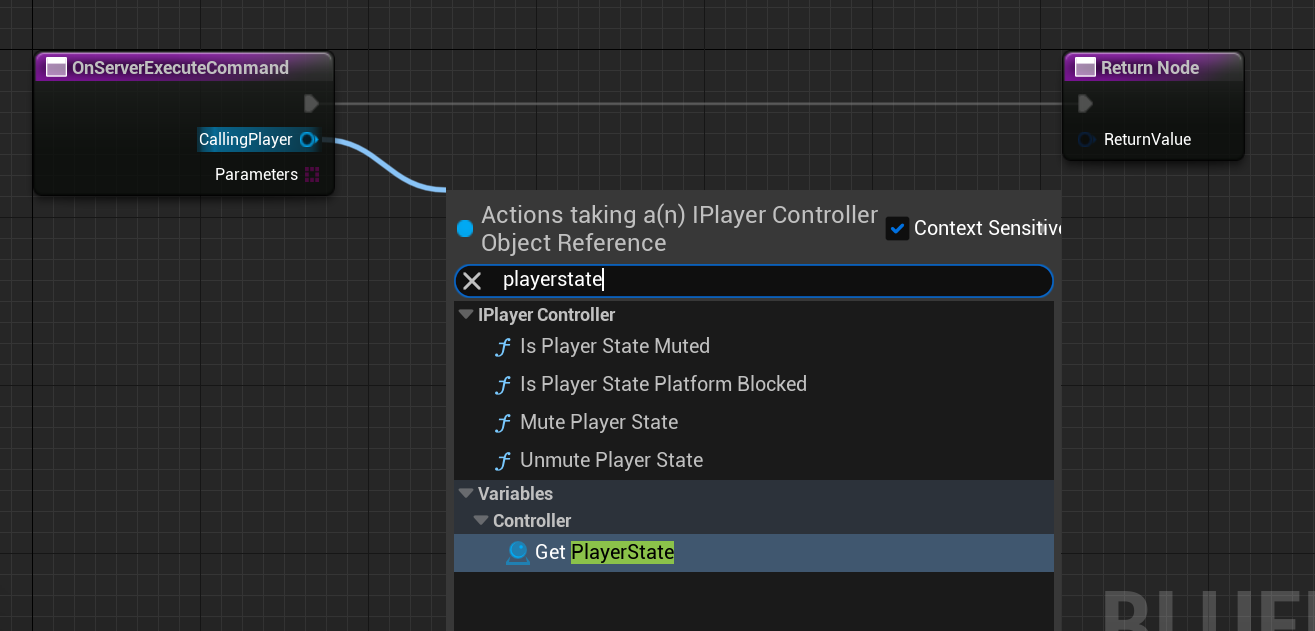
Now, drag from the
Player Statepin, and typeGet Player Name. Select that function and add it to the graph.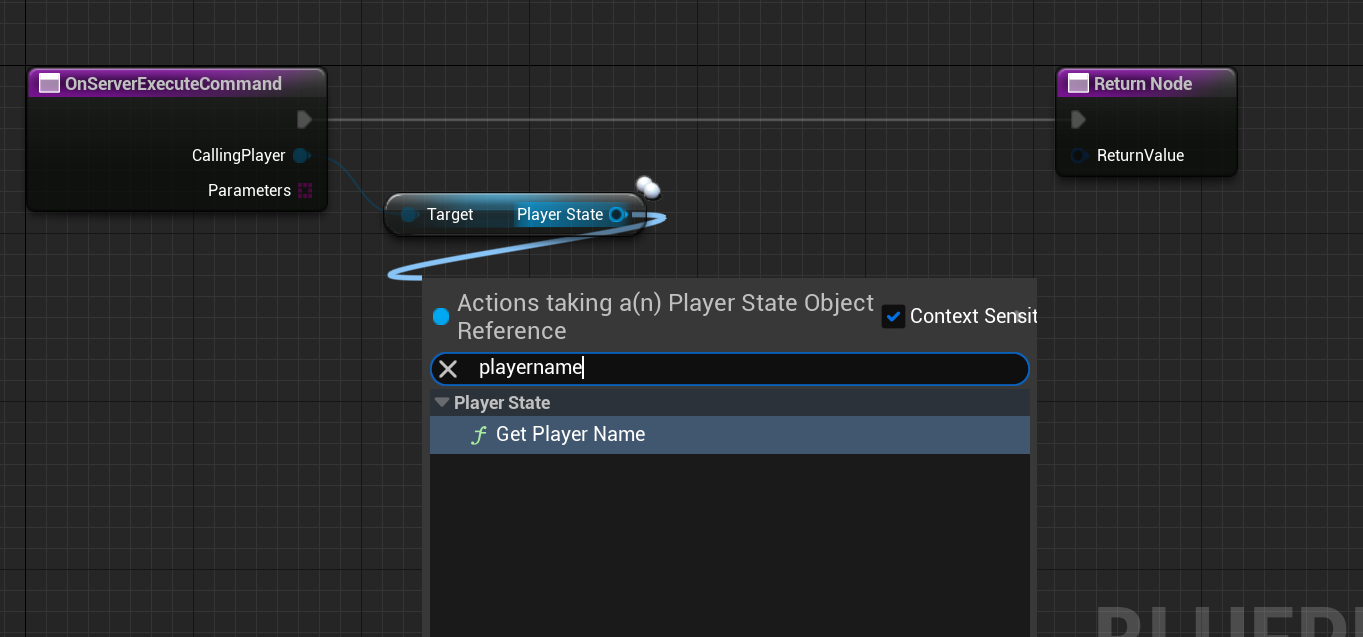
Drag the
ReturnValuepin of theGet Player Namenode and typeMake Plain Response. This will create an un-localized chat response which the player will see. Connect the result of this to theReturnNode.
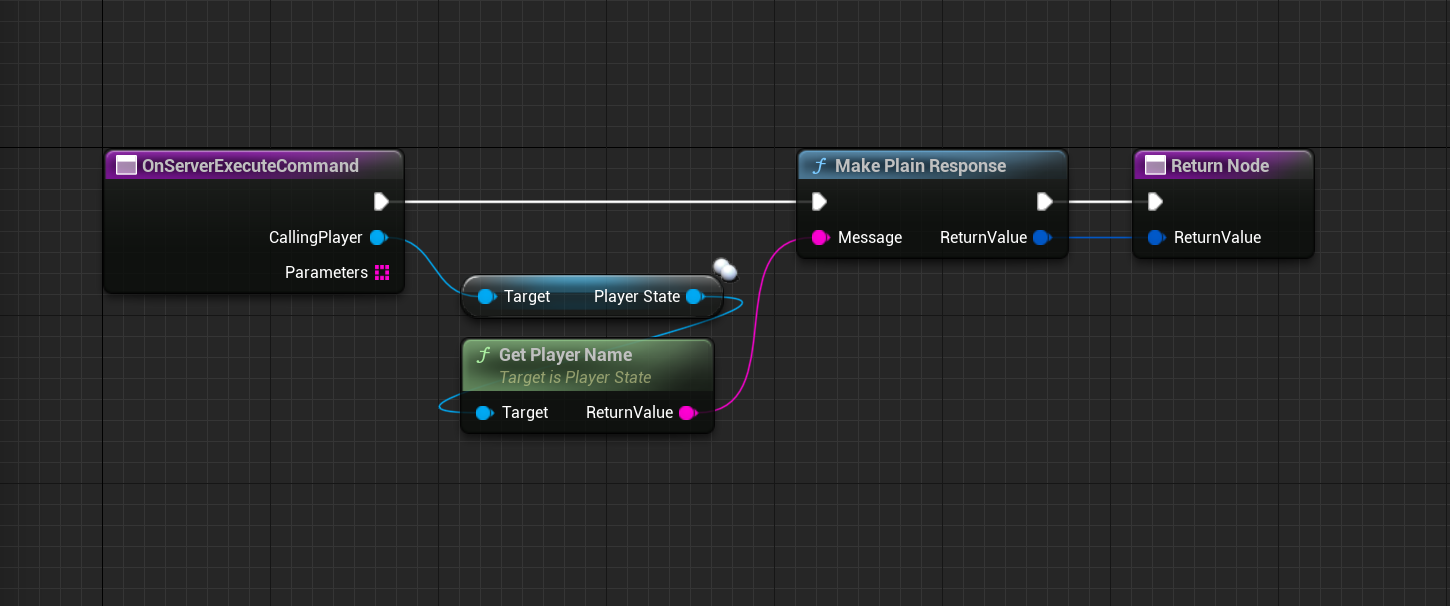
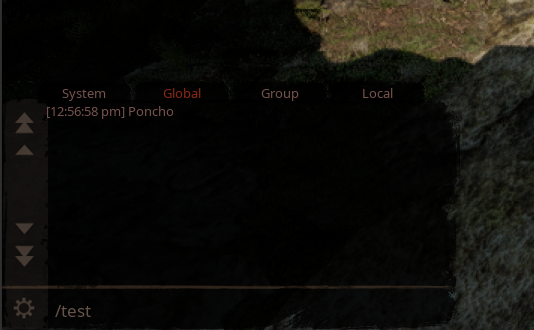
- Try your new command!
Using Command Parameters - Intermediate
For this example, we are going to make each parameter be messaged to the player. To do this, drag from the
Parameterspin and add aForEachLoopnode.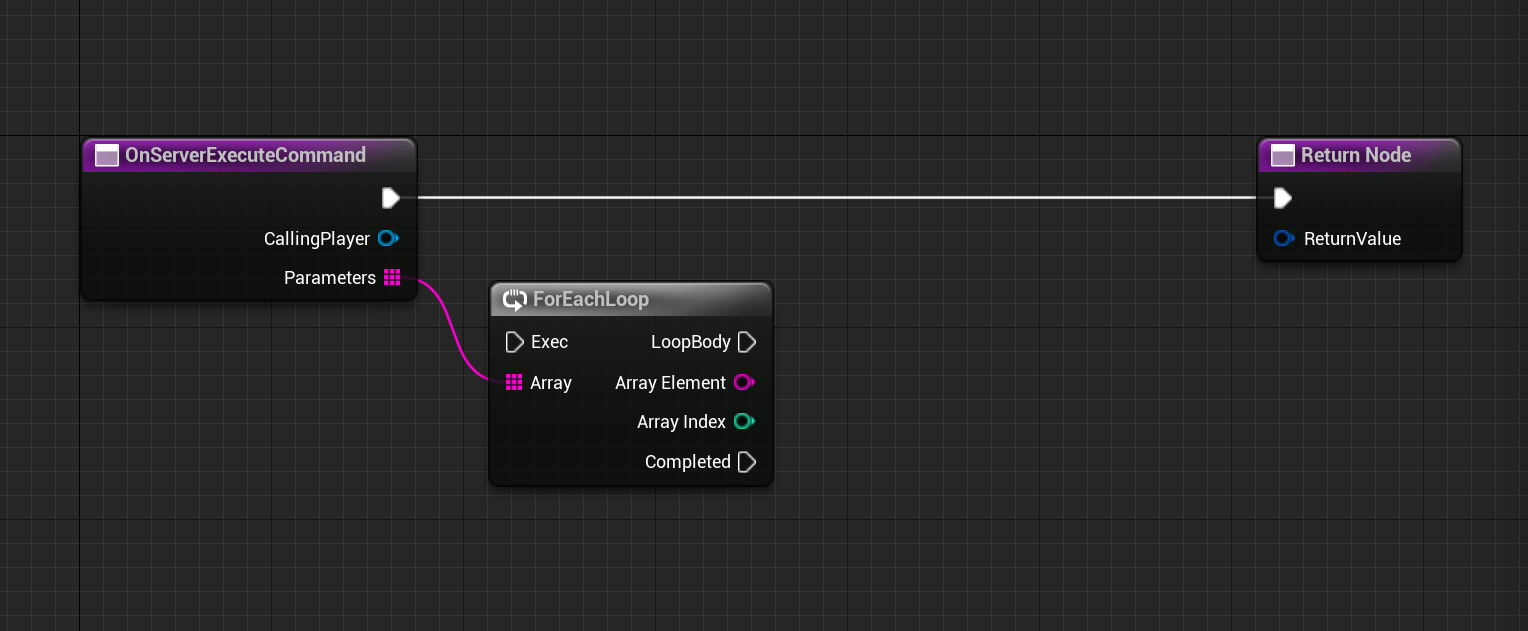
From the
Array Elementpin, connect to aMake Plain Responsenode. Connect to theLoop Bodyexecute pin of theForEachLoopnode.
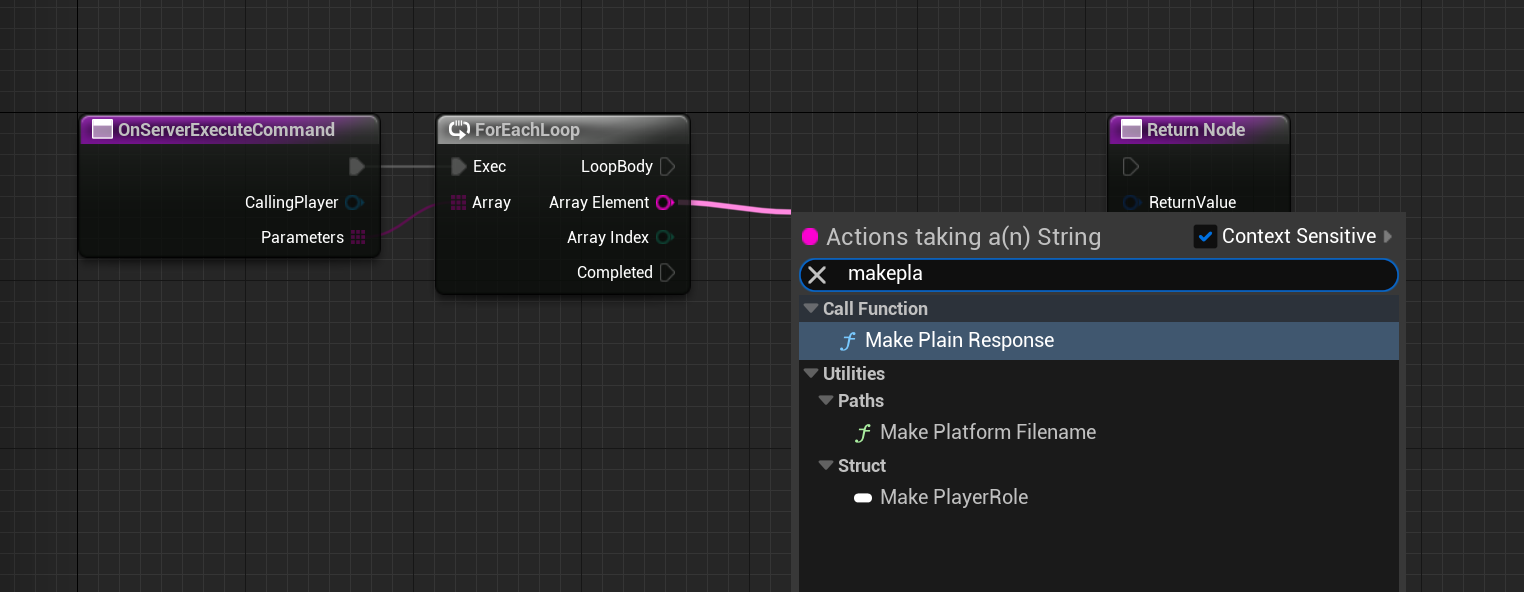
From the
Make Plain Responsenode, create aMessage Playernode.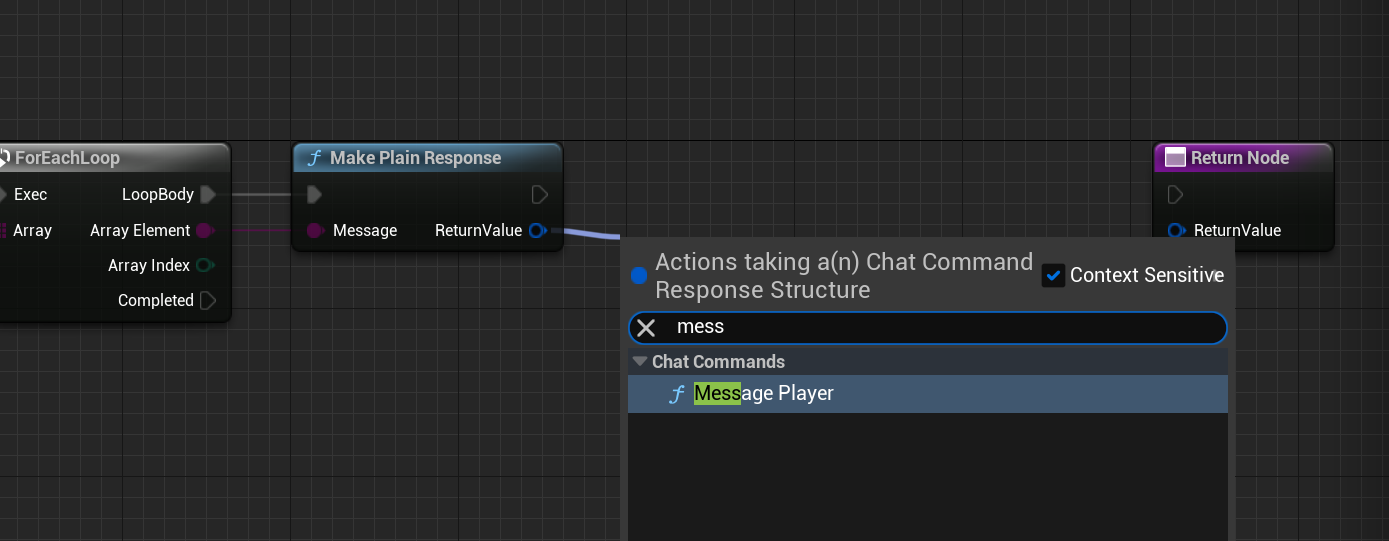
Ensure the PlayerController is connected to the
Message Playernode. Your blueprint should look something like this: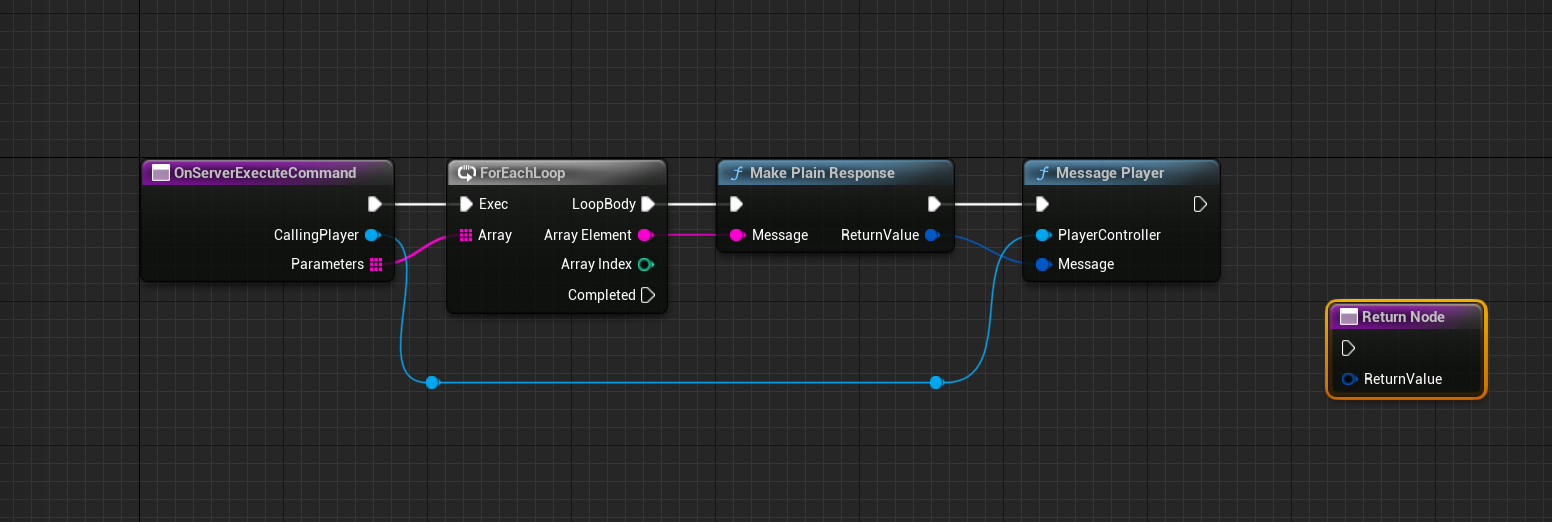
Once the
ForEachLoophas completed, you can return a message to signify it has finished. From theCompletedexecution pin, make a plain response, and connect it to theReturnnode.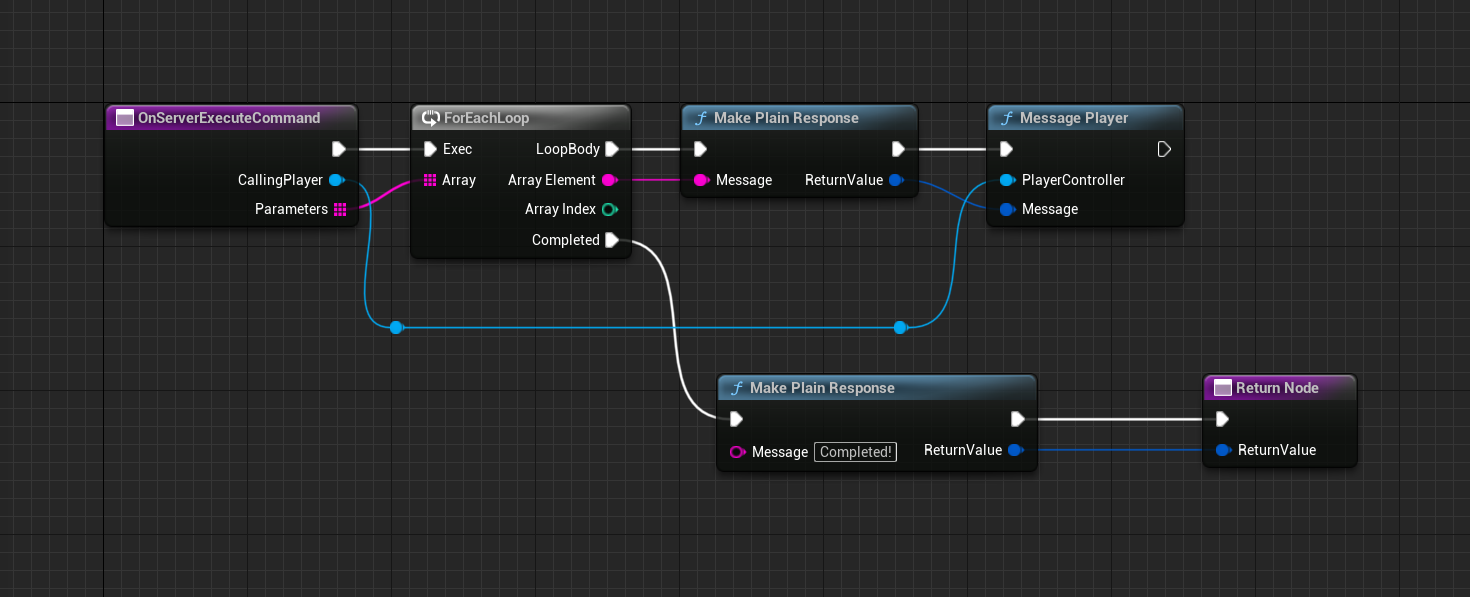
Test it!
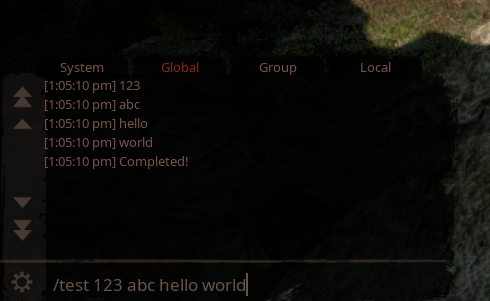
Teleport All Players To You - Intermediate
This command must be executed on the server as it needs to access all player's dinosaurs.
Drag off from the
CallingPlayerpin on theOnServerExecuteCommandnode and add aGet Controlled Pawnnode into the graph.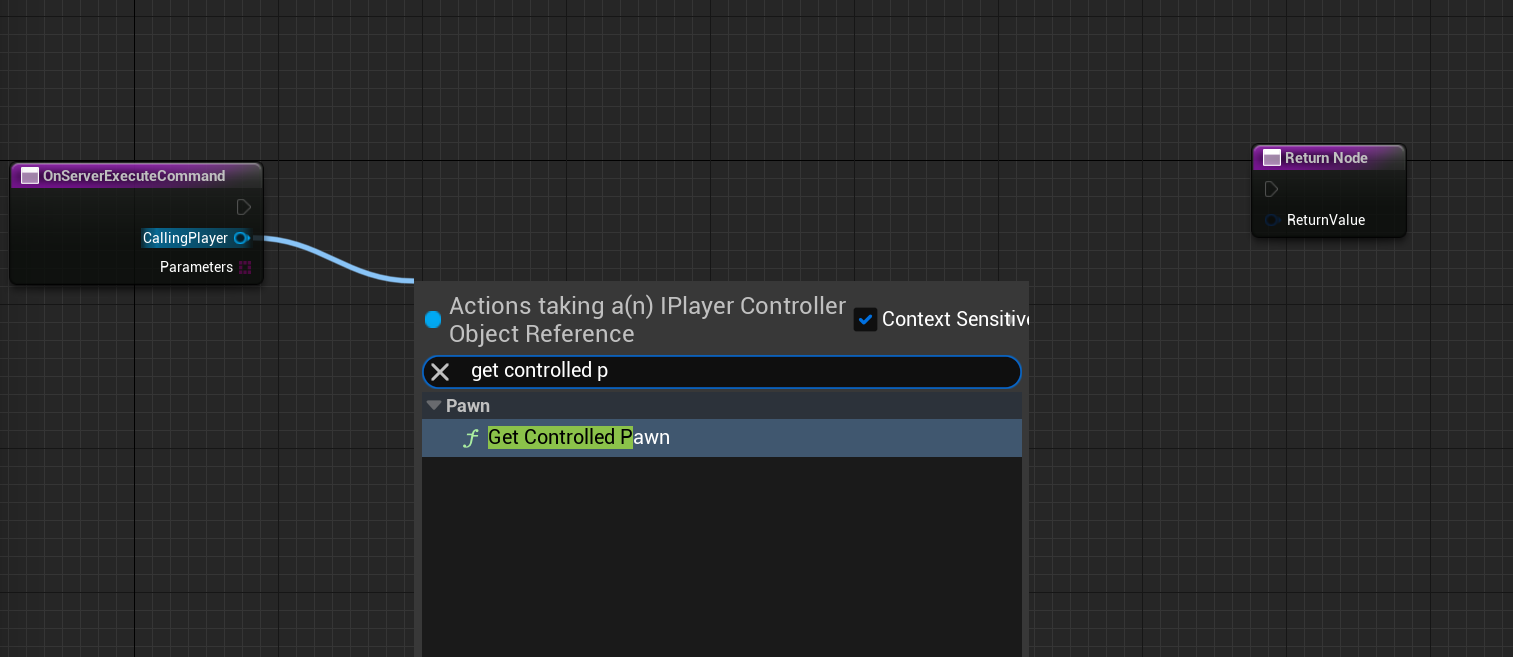
Take the
ReturnValuepin of the new node and add anIsValid"macro" node. The "macro" node is the node with the white?icon. We need to check if the player pawn is "Valid" so that we don't try to do anything to an invalid pawn.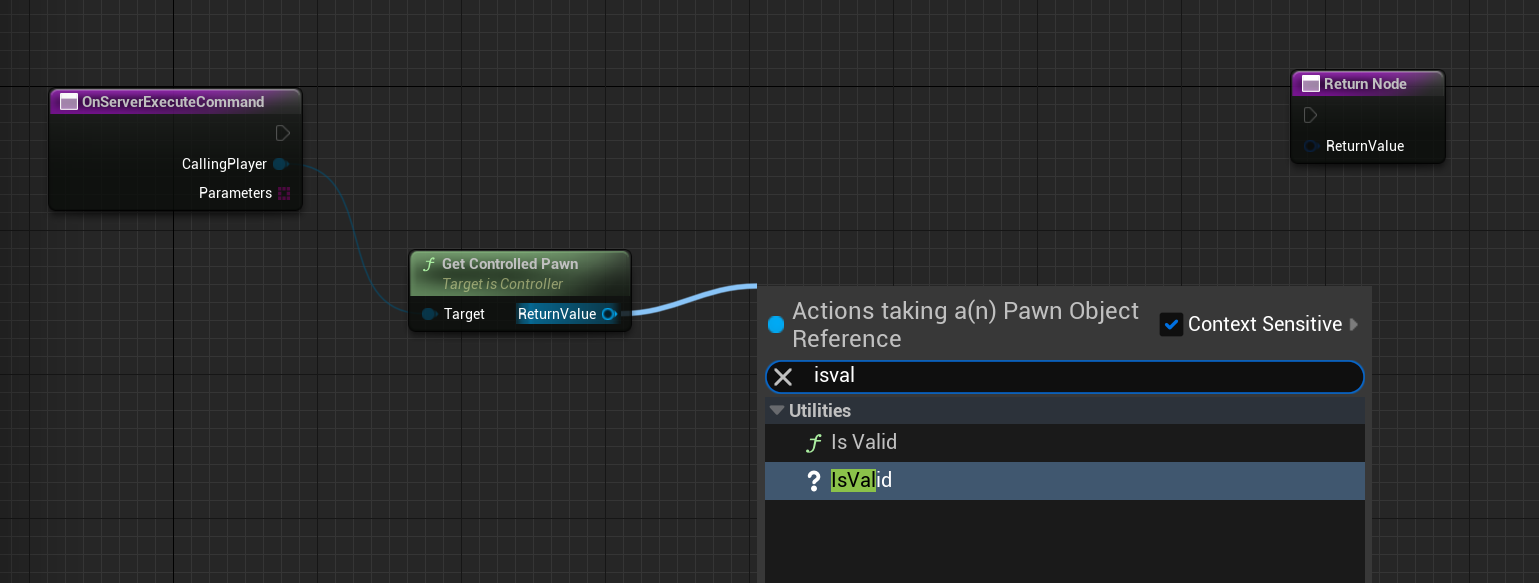
If the calling player's pawn is not valid, we need to return a message to explain this!
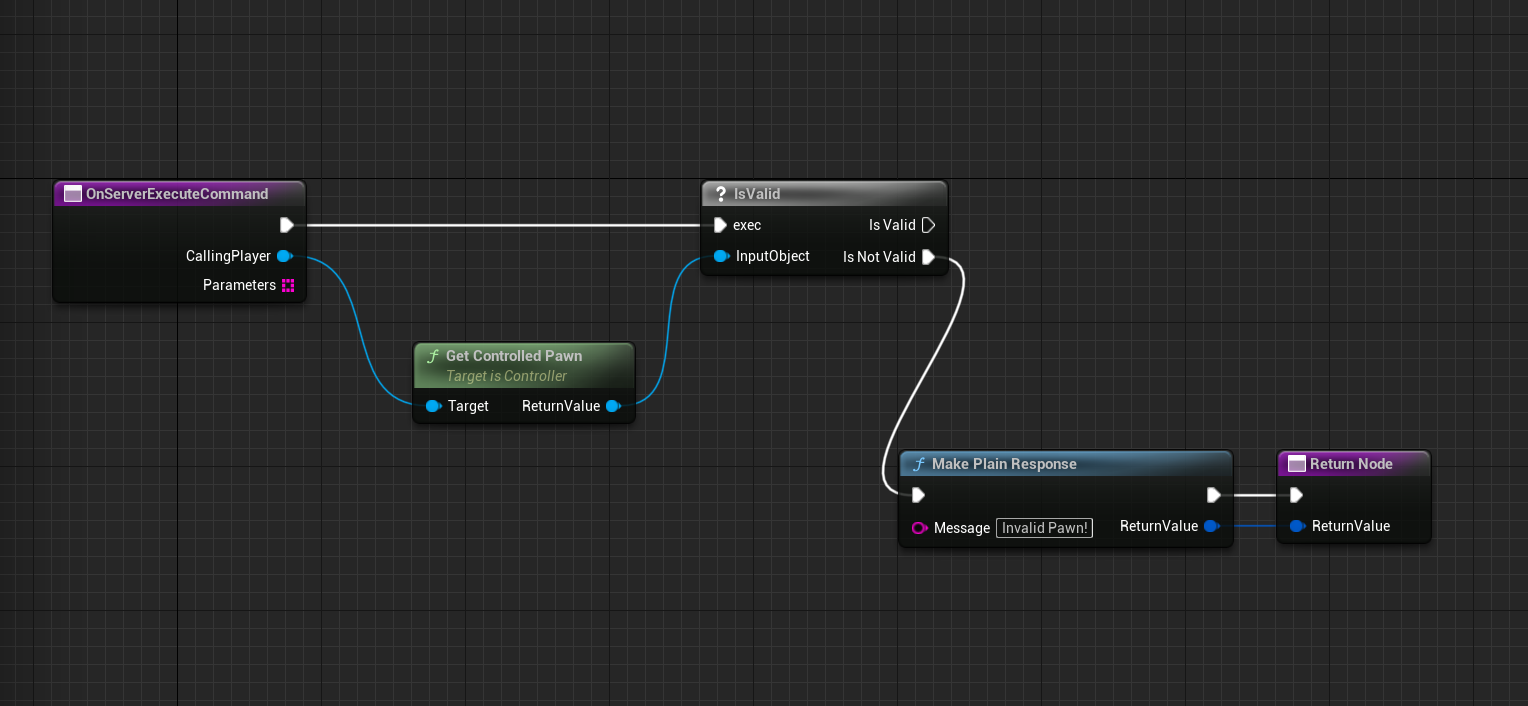
From the
Validexecution pin, we can create aTeleport All Locationnode. This takes a location and optionally, anInstance. An instance is a place such as a Home Cave or Hatchling Cave. We won't use this here.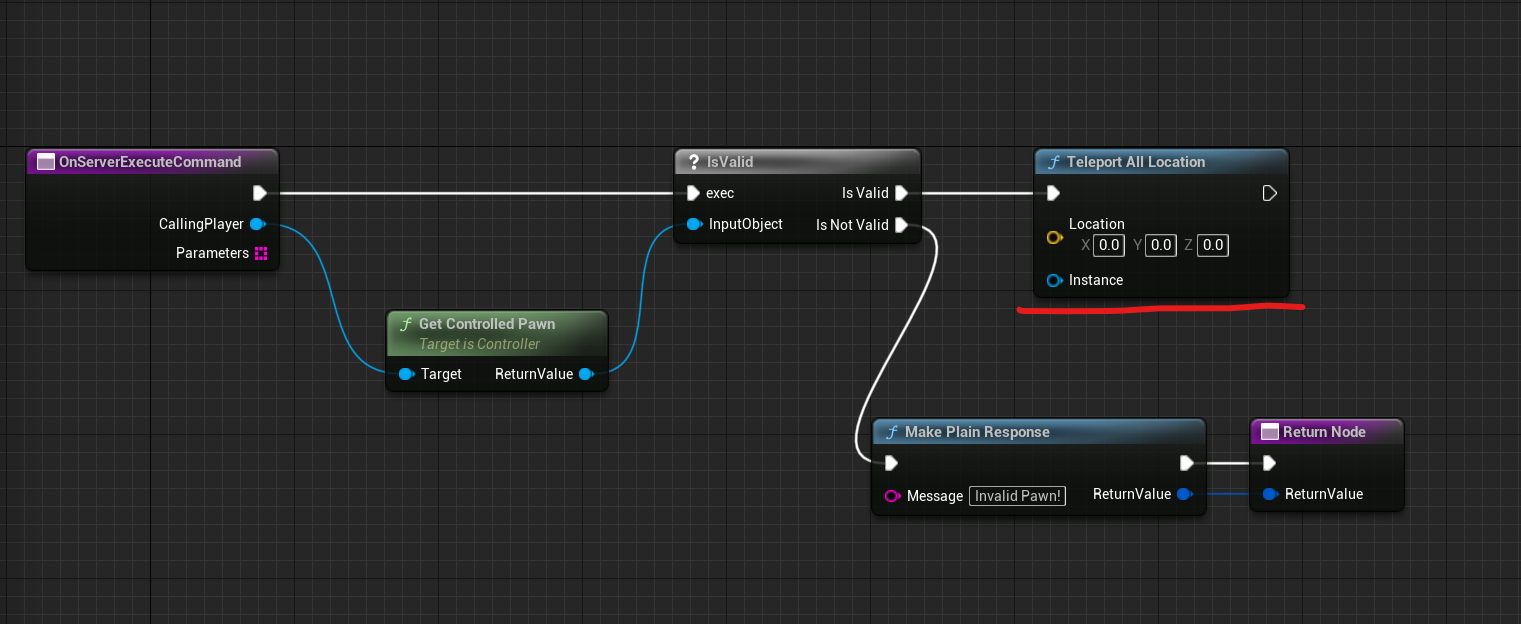
From the
ReturnValuepin on theGet Controlled Pawnnode, add aGet Actor Locationnode, then connect the output pin of that to theLocationpin on theTeleport All Locationnode.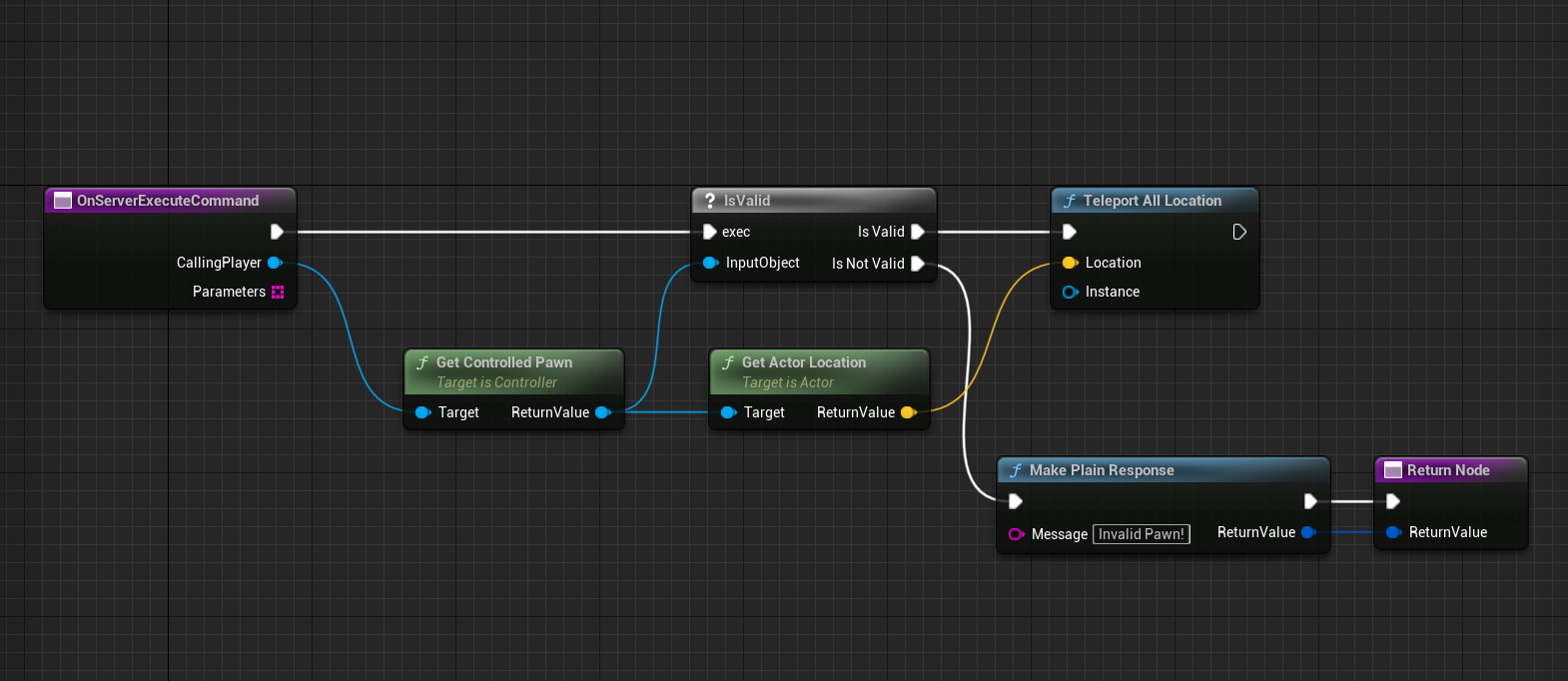
We should return a message to indicate the command completed successfully:
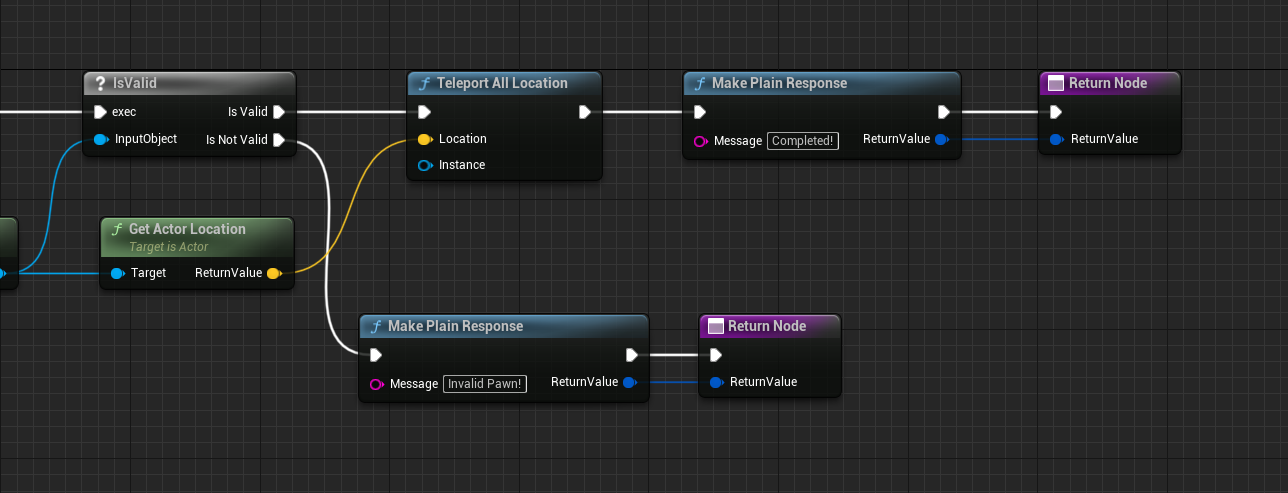
Test it!