Test and Release Your Mod
First, you must ensure you have uploaded your mod to the Cloud Cooker and have a successful build.
Step 1: Testing Your Build
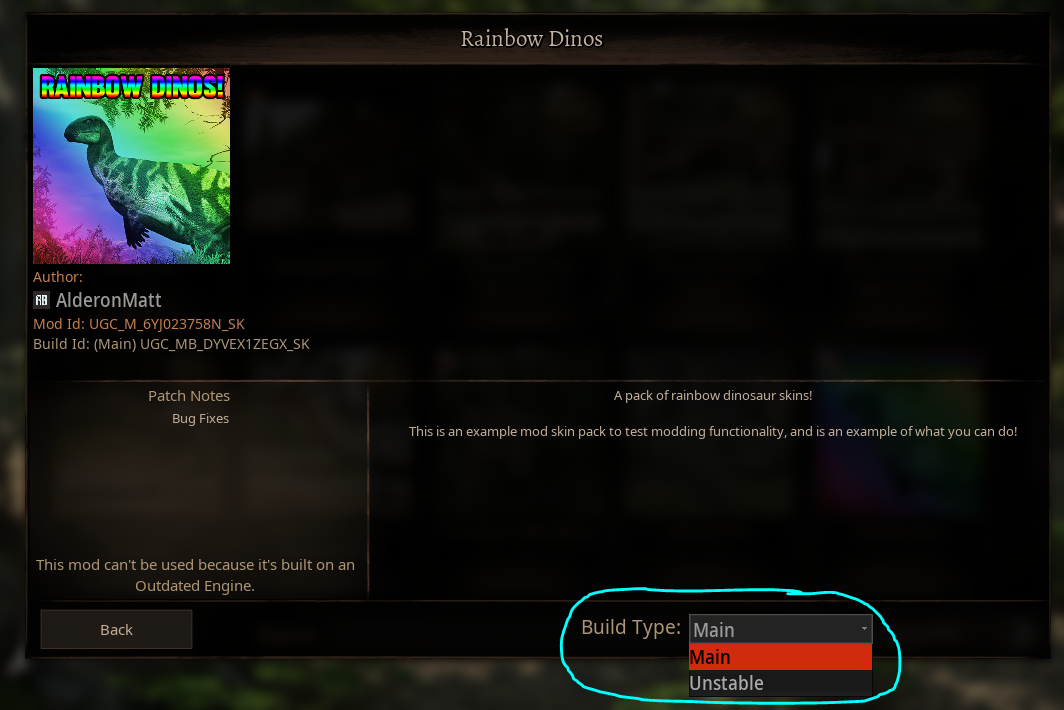
As soon as your mod has successfully built, it will automatically be testable in-game if you select the "Unstable" option from the dropdown when downloading your mod in-game. Only you and anyone on your Alderon Games Friends List will be able to see and download the unstable build of your mod, so you can invite your friends to help you test and give feedback.
You can add new Alderon Games friends here: https://alderongames.com/me/friends
TIP
If you have any problems with your mod, check out these fixes:
Testing on a Community Server
You can also test your mod on a community server hosted by you (the mod author) and other authorized testers. To do this, you can edit the GameUserSettings.ini file on your server. You can find this file in the following location:
INFO
WindowsServer is the folder name for Windows servers. If you are using a different operating system, the folder name will be different but the other folders will be the same.
[PathOfTitans.Mods]
;Enable the mod for a specific mod build SKU
EnabledMods=(ModSku="UGC_M_6YJ023758N_SK",BuildSku="UGC_MB_RMEK9224EZ_SK")
;Enable the mod for the release build
EnabledMods=(ModSku="UGC_M_6YJ023758N_SK",BuildSku="release")
;Enable the mod for the unstable build
EnabledMods=(ModSku="UGC_M_6YJ023758N_SK",BuildSku="unstable")
;Enable the mod for latest build
EnabledMods="UGC_M_6YJ023758N_SK"
Step 2: Releasing your New Build
Once you have fixed any issues with your mod and are ready to release it to the public, you can set it as the main release.
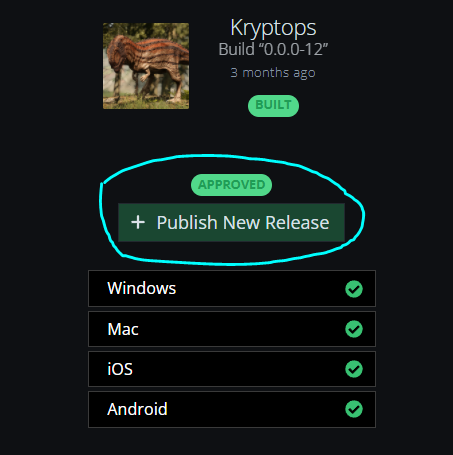
- Click on your successful build and click the "+ Publish New Release" button.
- Enter any patch notes you want to include with your release. We suggest including a list of changes, bug fixes, or known issues so players can be kept up-to-date on your mod developments.
- Click "Publish Release" when you are ready, and that version of your mod will be released publicly.
Summary
In this tutorial we covered:
- Testing your mod through the unstable version
- Releasing your new mod version to the public