Modding Custom Fish
You are able to mod in custom fish that can be used on your map. You cannot add a fish into the game as a standalond mod, but you can mod a fish into your map which will then spawn at designated fish spawners. It will come included with your map when a player downloads it.
You can get creative, it's not necessarily restricted to fish. You could mod in sharks, frogs, whales, and more. Just remember it will always have the "Fish" food tag that Piscivorous creatures will eat.
Once you have finished this tutorial, you can slot your FishDataAsset into your Fish Spawner on your map in order to spawn your custom fish.
Step 1: Setup Fish Mesh and Animation Blueprint
- Get your mod fish mesh ready and all the animations setup.
- Go to
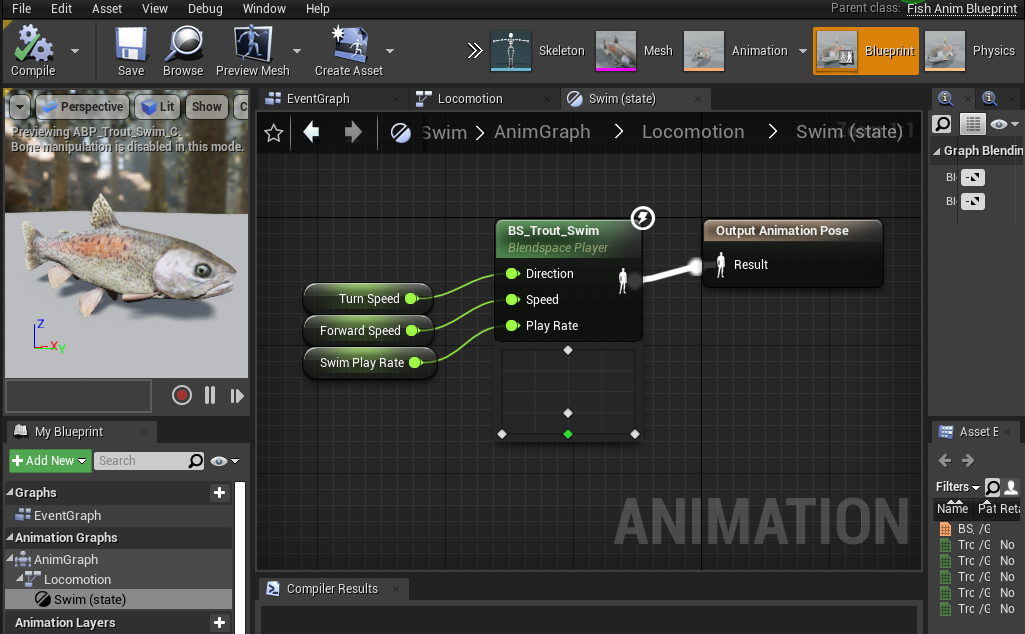
Content\Dinosaur\Characters\Critter\Fishand look at the existing fish. - You must create an Animation Blueprint based on the base game fish for your fish by either retargeting the Animation Blueprint or recreating it from scratch.
- After creating the Animation Blueprint, slot in all your animations.
Step 2: Setup Fish Blueprint
Now we can set up the Fish Blueprint, which will contain most of the parameters of your fish.
- In your mod folder, create a
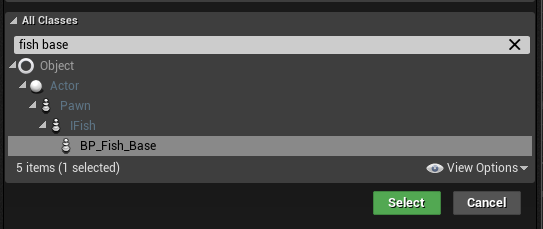
Fish\Blueprintsfolder. - Create a new Blueprint Class based on the
BP_Fish_Baseclass.
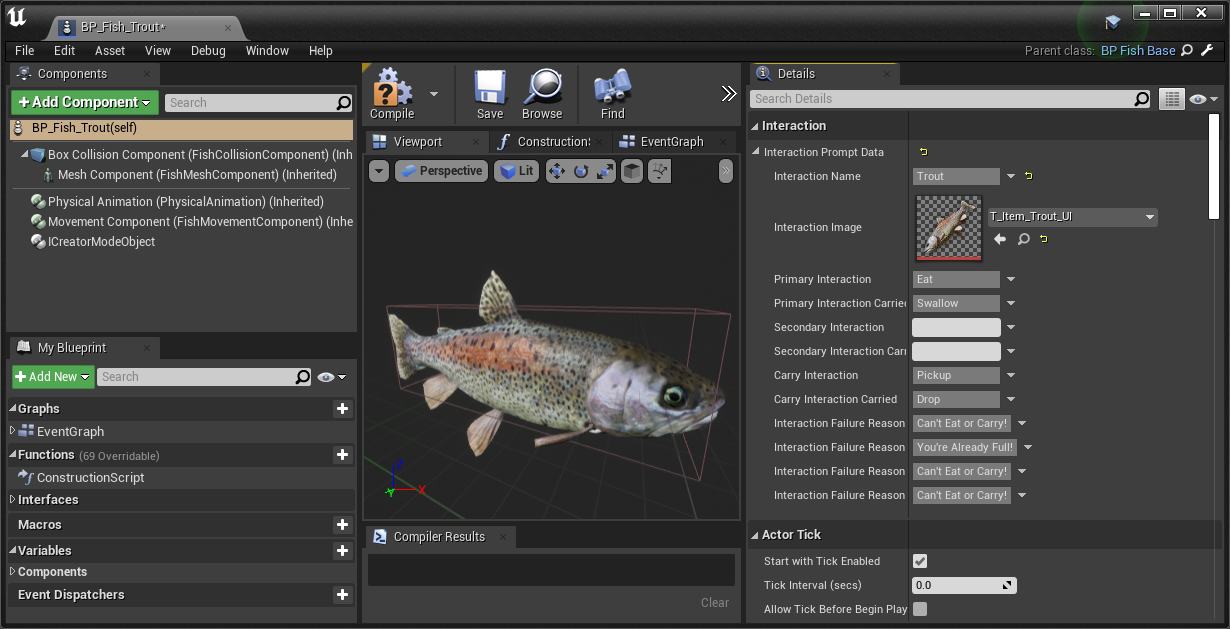
- Open your new fish blueprint and edit the following values:
| Item | Information |
|---|---|
| Interaction Prompt Data | Add in your display information about your fish. We highly recommend copying this from a base game fish. TIP: You can right click > copy the "Interaction Prompt Data" item from a base game fish and paste it into your mod fish to copy the entire thing over. |
| Active Fish Data | Slot in your Fish Data Asset (from the next step below) |
| Fish Max Food Value | How much hunger your fish restores when eaten. |
| Carry Data | Various information about what can carry your fish. Please reference base game fish blueprints for these values. |
| Box Collision Component | Scale this box to adjust the fish hitbox. |
| Mesh Component | Here you must slot in your Skeletal Mesh and Anim Class (Animation Blueprint) |
Step 3: Setup Fish Data Asset
- In your mod folder, create a
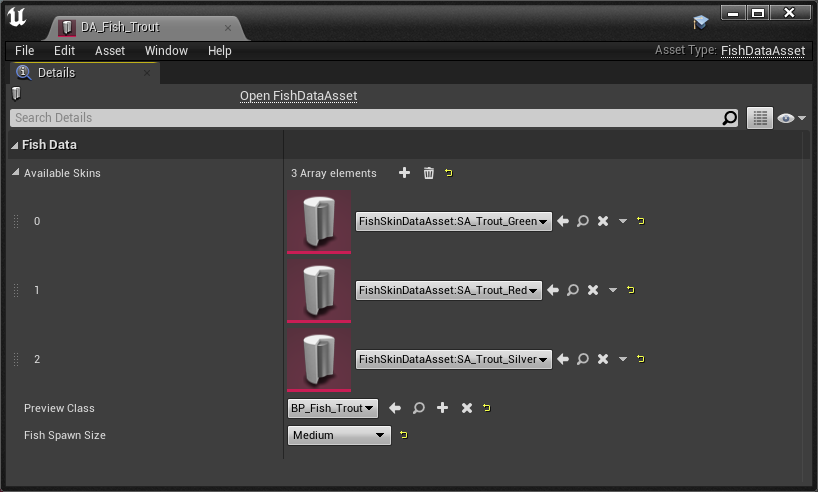
Fishfolder, and create a new DataAsset using theFishDataAssetclass. - Open your new
FishDataAssetand slot in your FishSkinDataAssets (from the next step below) - Slot in the Fish Blueprint you created in Step 2.
- Change the Fish Spawn size depending on how large your fish is.
- Make sure you slot this Fish Data Asset into your Fish Blueprint and FishSkinDataAsset too.
Step 4: Setup Skin DataAsset
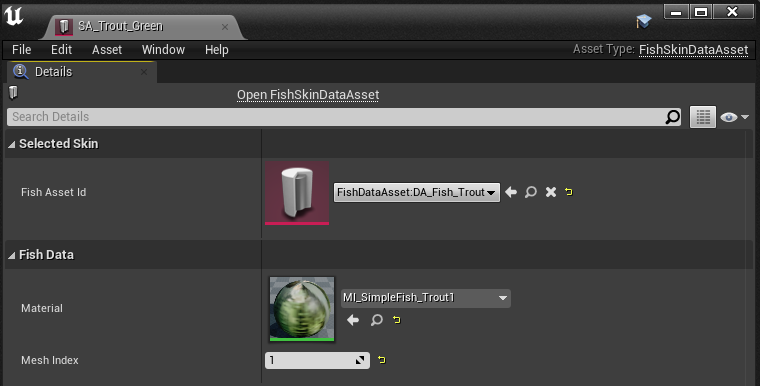
Even if your fish has only 1 skin, you must still set up a skin asset for it.
- First, create any material instances of your fish skin you want to use.
- In your mod folder, create a
Fish\Skinsfolder, and create a new DataAsset using theFishSkinDataAssetclass. - It is quite basic, simply slot in your skin material and specify the material slot that skin uses, and slot in your
FishDataAsset. - Optionally, go to
Content\Blueprints\Fish\Data\Skinsand take a look at the base game skins for reference.
Summary
By following this tutorial, you will have completed the following:
- Setup a fish animation blueprint
- Created a FishDataAsset and FishSkinDataAsset
- Created a Fish Blueprint
Once you have finished this tutorial, you can slot your FishDataAsset into your Fish Spawner on your map in order to spawn your custom fish.